RFID CUBE & INTERACTIVE DISPLAY SOFTWARE

RFID Cube & Interactive Display Software

Put your story in your visitor’s hands.

Let visitors choose what plays on screen through a physical cube interaction.

Technanosoft develops custom RFID cube software that connects a branded physical experience with your videos, product demonstrations and campaign content. Give guests a different way to explore your message—without navigating a touchscreen menu.

Concept illustration of a visitor placing a physical topic cube on a nearby reader pad to select prepared content on a connected display.A PHYSICAL CHOICE. A DIGITAL RESPONSE.
01 Choose02 Recognise03 Play
AI-generated installation concept. Cube, reader and display setup are illustrative.
PICK UP A DIFFERENT WAY TO EXPLORE

Custom interactive experiences for exhibitions, conferences, product launches and brand activations.

FROM A FIXED PLAYLIST TO A PHYSICAL CHOICE

Don’t make visitors wait
for the right video.

Your display has a product overview, a feature demonstration and a story about your brand. Instead of making every visitor watch the same sequence, let them choose the topic.

A labelled cube becomes the physical menu. The screen delivers the selected story.

We build the software that connects the configured cube interaction with the right content, including what happens before a selection, during playback and when the next person takes part.

Choose a topic on the cube.
Discover the story on screen.

THE INTERACTION JOURNEY

A physical choice.
A digital response.

The installation combines a configured cube, compatible RFID equipment, playback software and a connected display. The exact placement or turning action is designed around the selected hardware.

  1. 01

    Choose the Topic

    The visitor follows clear guidance on the cube or display to select a topic. Depending on the agreed design, this can involve placing or repositioning the cube at a marked reading area.

  2. 02

    Recognise the Selection

    The RFID reader detects a configured tag and sends its identifier to the application. The software matches that identifier with the assigned content. This tag-to-content connection is the basis of RFID-triggered display experiences.

  3. 03

    Play the Corresponding Video

    Show the video assigned to the recognised selection. Define whether a new selection interrupts the current video, waits until it finishes or follows another agreed playback rule.

  4. 04

    Return to the Welcome Experience

    After the interaction, return to an idle video, a branded instruction screen or another approved state. Plan what happens when the cube is removed, the video ends or no further input is received.

Cube interaction RFID reader Content selection Video playback Connected display

BEHIND THE EXPERIENCE / DFDs

From a recognised tag
to the right story.

See how configured tag identifiers become content selections, and how playback rules guide the display. These illustrative DFDs describe a possible design; reader signals, media storage and operator controls depend on the agreed installation.

Download SVG
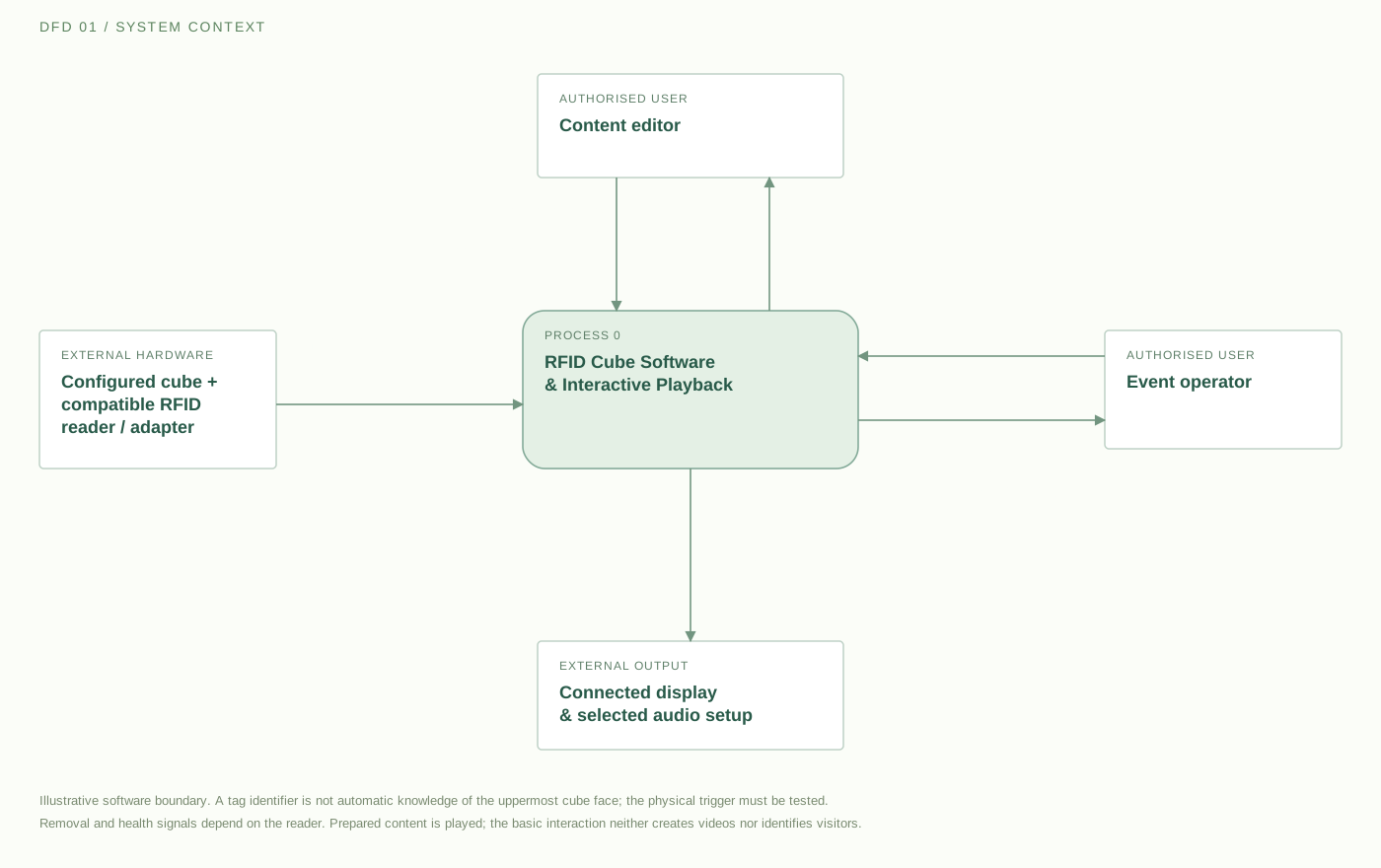
Data-flow diagram connecting a configured cube tag, nearby RFID reader, interactive playback software, authorised content editor, event operator and display.

A compatible reader reports a configured tag identifier and any supported presence or connection status. Content editors supply approved videos, selection mapping and playback rules. Operators have separate playback controls and status information. The display receives prepared content or a welcome state. Tag identity alone does not tell the software which cube face is uppermost; the physical arrangement makes a selection distinguishable.

External entity Process Data store→ Labelled data flow
Open full size ↗

On smaller screens, scroll across the diagram or open it full size.

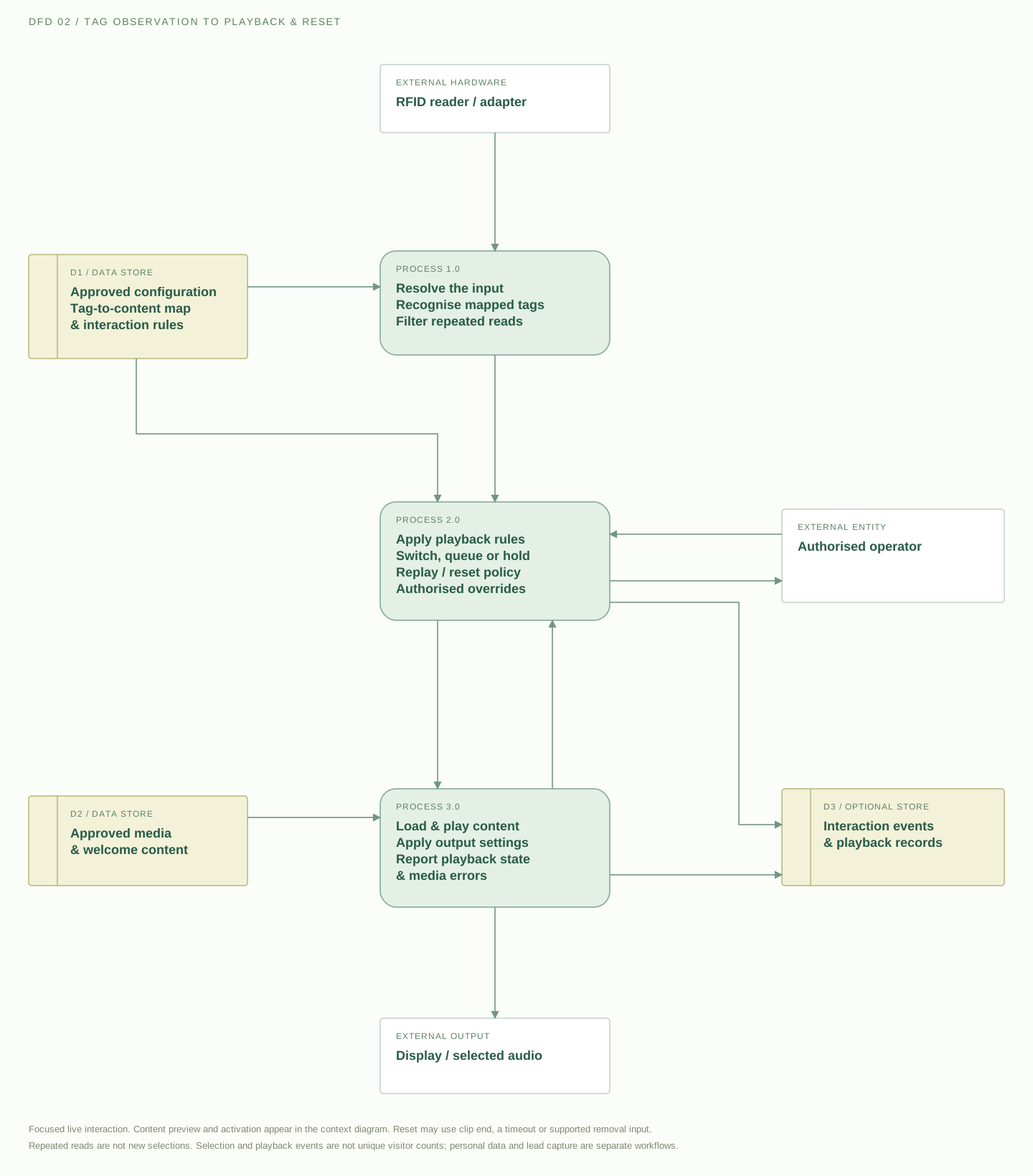
Tag identity is the input. The reader identifies a configured tag. Cube position, tag arrangement and the reading area must be tested together to make the intended choice distinguishable.

Repeated reads need a rule. A tag remaining near the reader should not continually restart a clip. Define stable selections, switching, replay and reset behaviour before event use.

Selections are not visitor counts. Optional reporting can record agreed selections and video starts. The basic cube workflow does not identify people or capture leads.

FEATURES & CUSTOMISATION

Build the interaction
around your event story.

Choose the capabilities that suit your creative concept and operating setup. The final functionality is defined around the cube design, RFID equipment, playback device and display requirements.

Tag-to-Video Mapping

Assign an approved video to each configured tag or selection. Keep the cube labels, content names and software mapping aligned so visitors receive the story they expect.

The number of reliable selections is confirmed through the physical design and testing.

OPTION TO SCOPE
Branded Welcome & Instruction Screens

Use your event identity in the idle screen, interaction prompts and playback layout. Explain what guests should do with the cube rather than expecting them to discover the controls without guidance.

OPTION TO SCOPE

Video Switching & Replay Rules

RFID display systems can respond to an object being placed or removed, with software determining the resulting content change.

For your installation, define when to switch videos, whether repeat selections restart playback and how to prevent repeated reads from continually interrupting the same clip.

OPTION TO SCOPE

Idle Playback & Automatic Reset

Choose what appears when nobody is interacting. This might be an invitation to try the cube, an event animation or a product overview.

Agree the reset behaviour so the installation is ready for the next visitor.

OPTION TO SCOPE

Operator Controls & Manual Override

Give authorised staff a separate way to select content, pause playback, reset the experience and check reader status.

A manual playback option can be included so operators have an alternative when the physical interaction needs attention.

OPTION TO SCOPE

Content Updates & Preview

Scope a controlled process for replacing videos and changing their assigned selections. Preview updated content before making it active, and check that the replacement files suit the agreed playback setup.

OPTION TO SCOPE

Display & Playback Configuration

Plan the software output around the intended screen, projector or LED-wall setup. Agree the video dimensions, screen orientation, audio behaviour and any controller connections.

Multi-screen layouts or coordinated playback can be assessed as additional requirements.

OPTION TO SCOPE

Optional Interaction Reporting

Record agreed events such as recognised selections and video starts. Use the report to review which content was requested without treating every RFID read as a separate visitor.

Personal identification or lead capture is not part of the basic cube interaction and would require a separate workflow.

OPTION TO SCOPE

FOR VISITORS & EVENT TEAMS

Make exploring your content
part of the experience.

Discuss Your RFID Cube
01 / For Visitors

Choose What Interests Them

Let guests select a topic rather than wait through a fixed playlist. Make the choices visible on the cube and keep the relationship between their action and the screen response clear.

02 / For Brands

Connect the Object With the Story

Bring the same creative direction into the cube artwork, instructions and video content. Make the physical installation part of the campaign rather than an unrelated controller beside a screen.

03 / For Presenters

Support a Guided Demonstration

Use the cube within an assisted presentation where a representative introduces the available topics. Keep the agreed operator controls available for demonstrations that need a different sequence.

04 / For Event Teams

Define What Happens Between Interactions

Plan new selections, repeated inputs, abandoned sessions and resets. Give staff a clear operating process instead of leaving the installation’s behaviour to chance.

ONE OBJECT. MANY CREATIVE POSSIBILITIES.

One cube.
Different ways to tell your story.

These examples illustrate possible creative configurations, not previous client results.

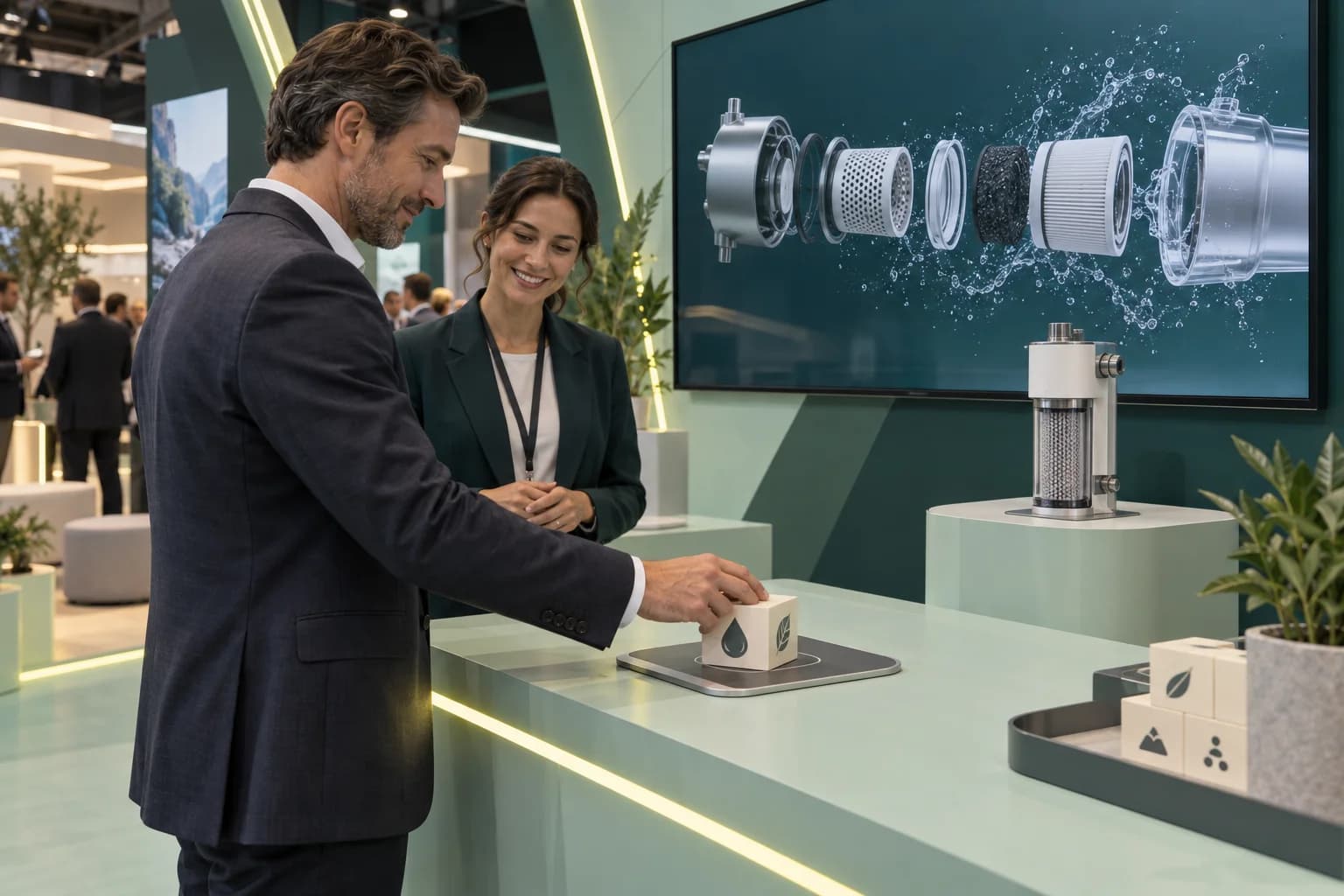
Concept illustration of an exhibition visitor selecting a product video using a physical cube on a nearby RFID reading pad.EVENT CONCEPT 01
AI-generated concept illustration

Exhibitions & Trade Shows

Let visitors explore your offering by selecting the topic most relevant to them. Build the cube’s labels around clear choices rather than internal product terminology.

EXAMPLE CONCEPT

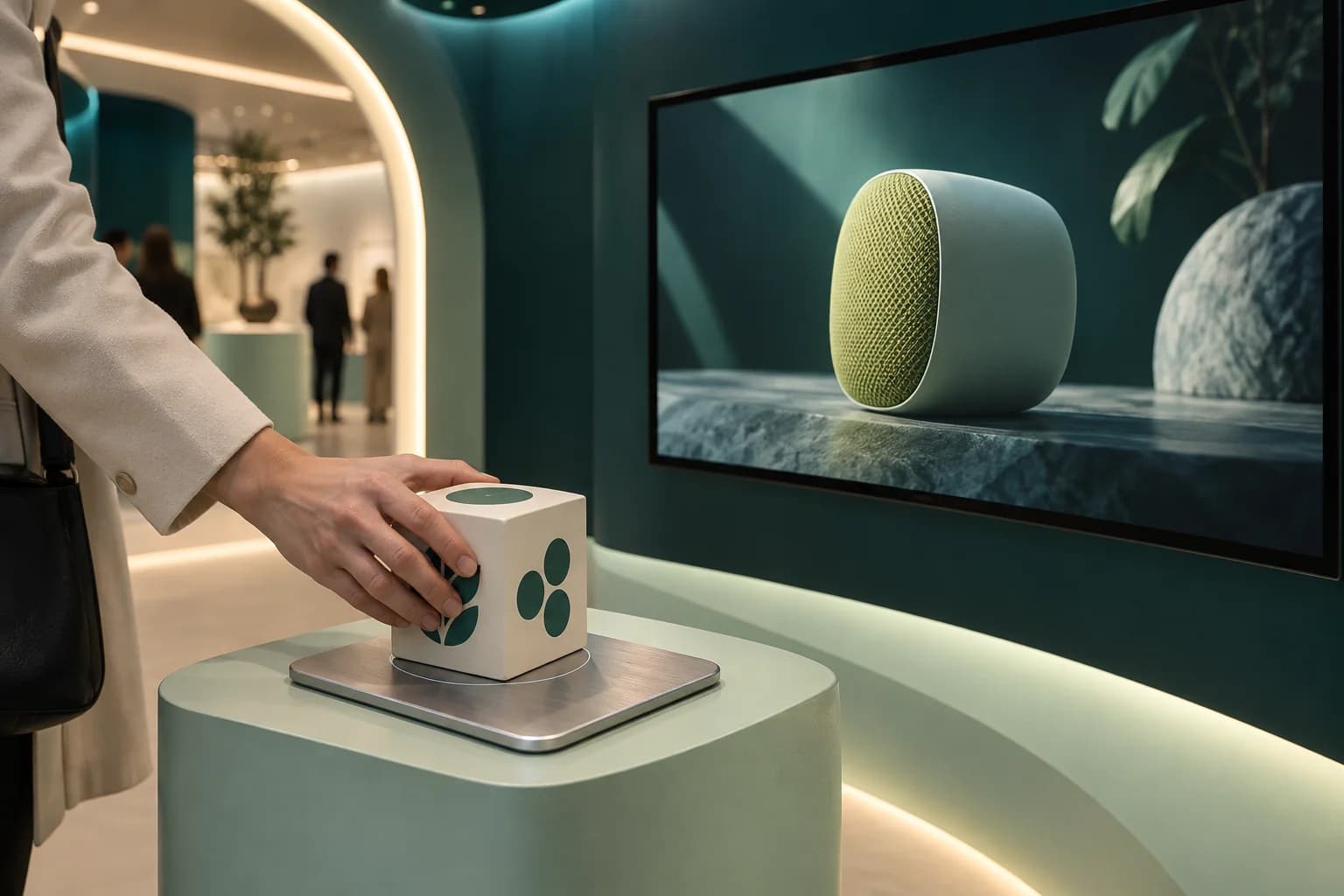
Select “How It Works,” “Key Features” or “Applications” to play the corresponding product video.

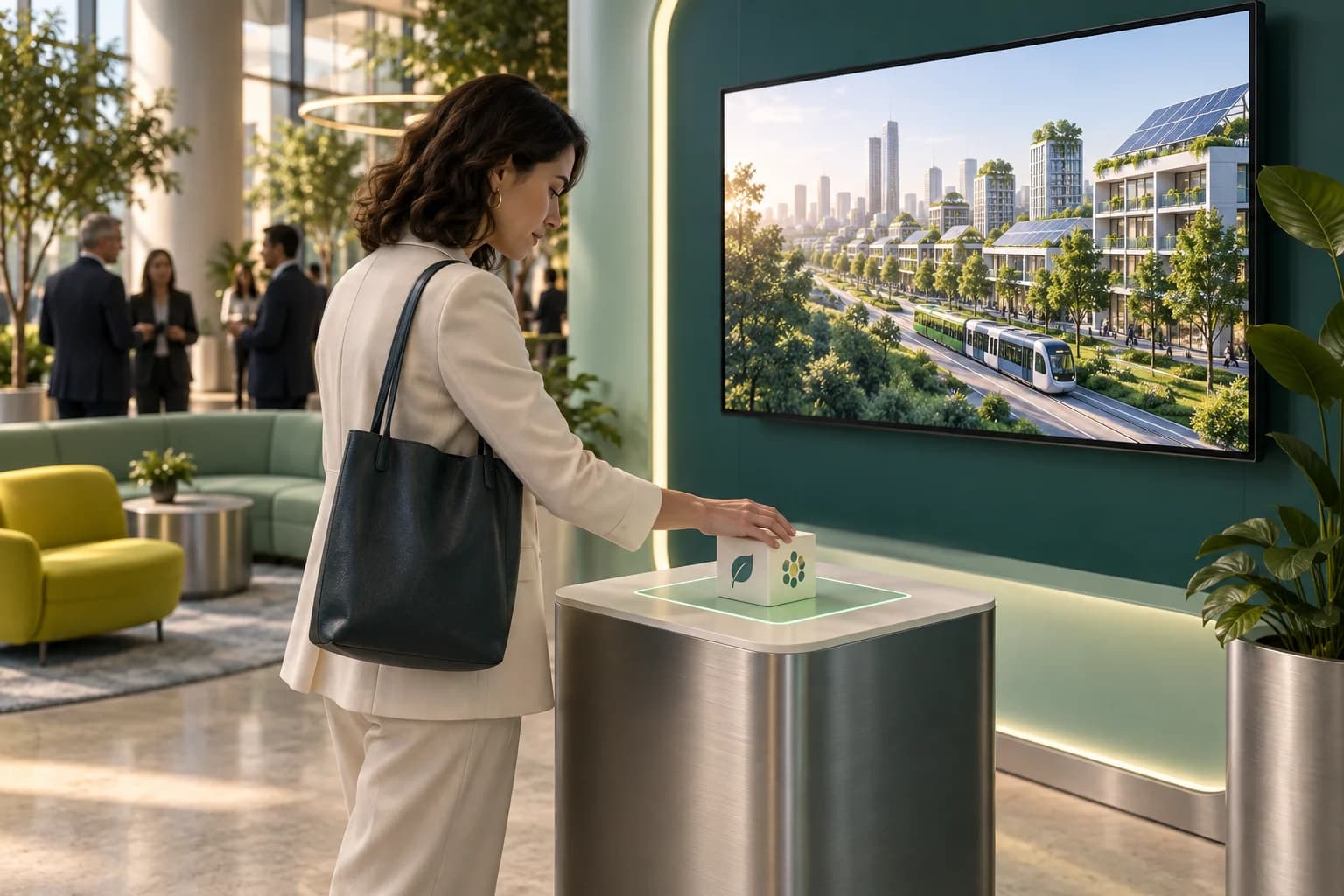
Concept illustration of an attendee using a cube content selector beside a conference lounge display showing a sustainable city.EVENT CONCEPT 02
AI-generated concept illustration

Conferences & Business Summits

Turn the event’s main themes into an interactive discovery point. Give attendees a way to explore supporting content outside the main presentation programme.

EXAMPLE CONCEPT

Each configured selection introduces a different conference theme through a short video.

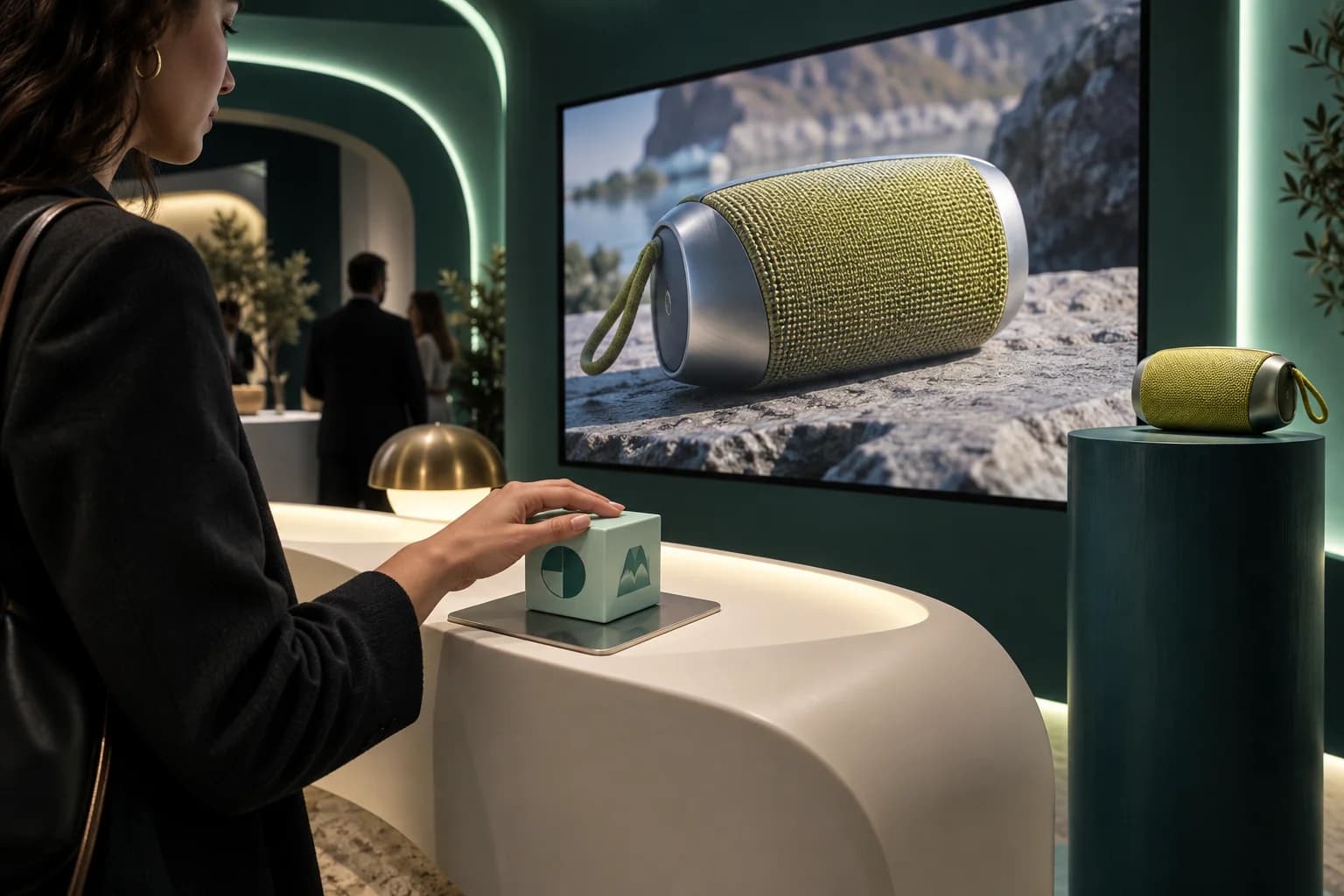
Concept illustration of a cube-controlled product launch display with a prepared speaker-design film and a matching physical product.EVENT CONCEPT 03
AI-generated concept illustration

Product Launches & Brand Activations

Create a physical way to reveal different parts of the campaign story. Connect the cube artwork with the visual style of the launch content.

EXAMPLE CONCEPT

Visitors choose between the product’s design story, a feature demonstration and an approved campaign film.

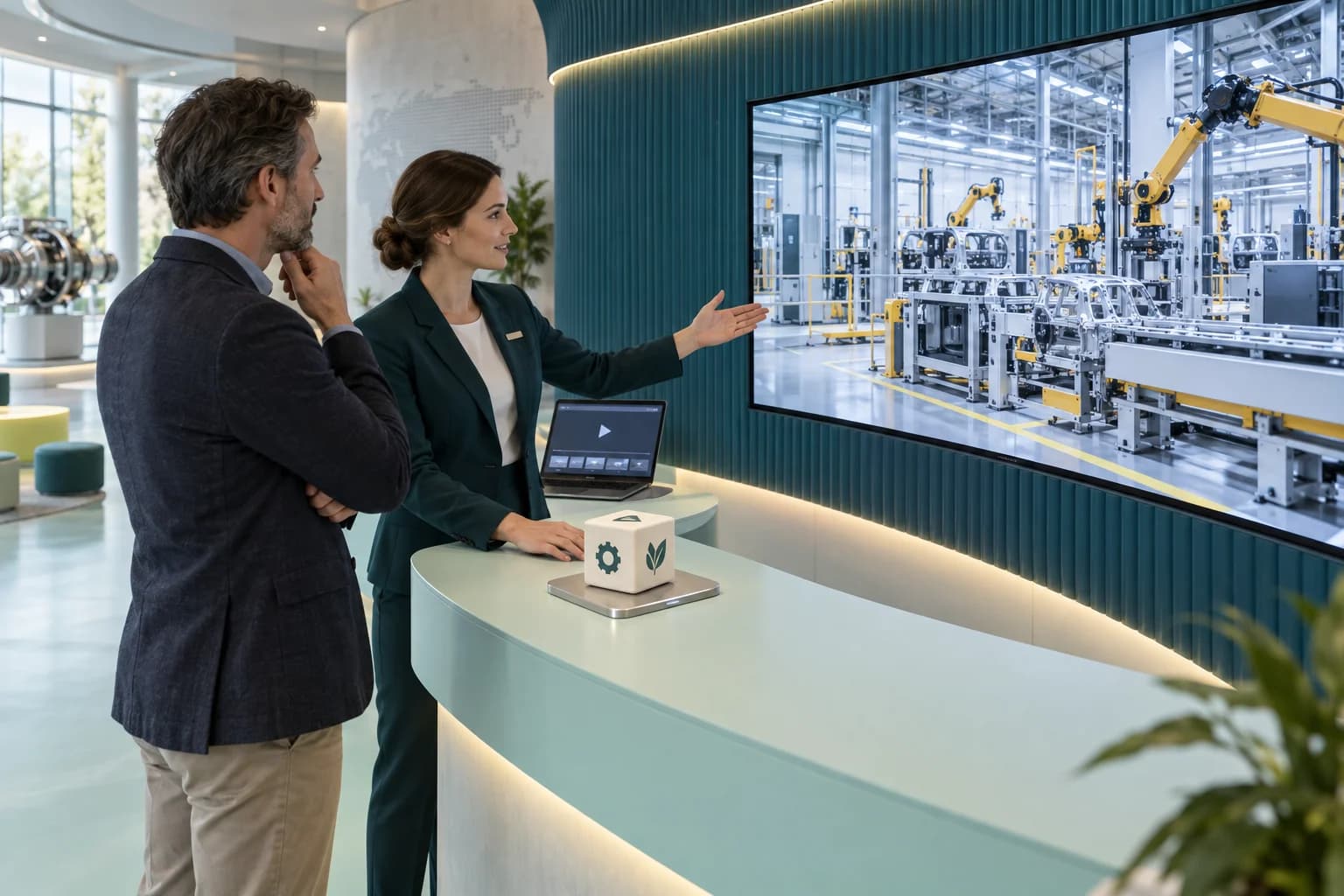
Concept illustration of a guide and visitor exploring manufacturing content through a cube selector and a connected screen.EVENT CONCEPT 04
AI-generated concept illustration

Corporate Showcases & Experience Centres

Help visitors explore the organisation’s work through a guided content selection. Design the installation for the space and the team responsible for maintaining it.

EXAMPLE CONCEPT

Different selections introduce business divisions, manufacturing processes or completed projects.

WHY TECHNANOSOFT

The software behind
the physical interaction.

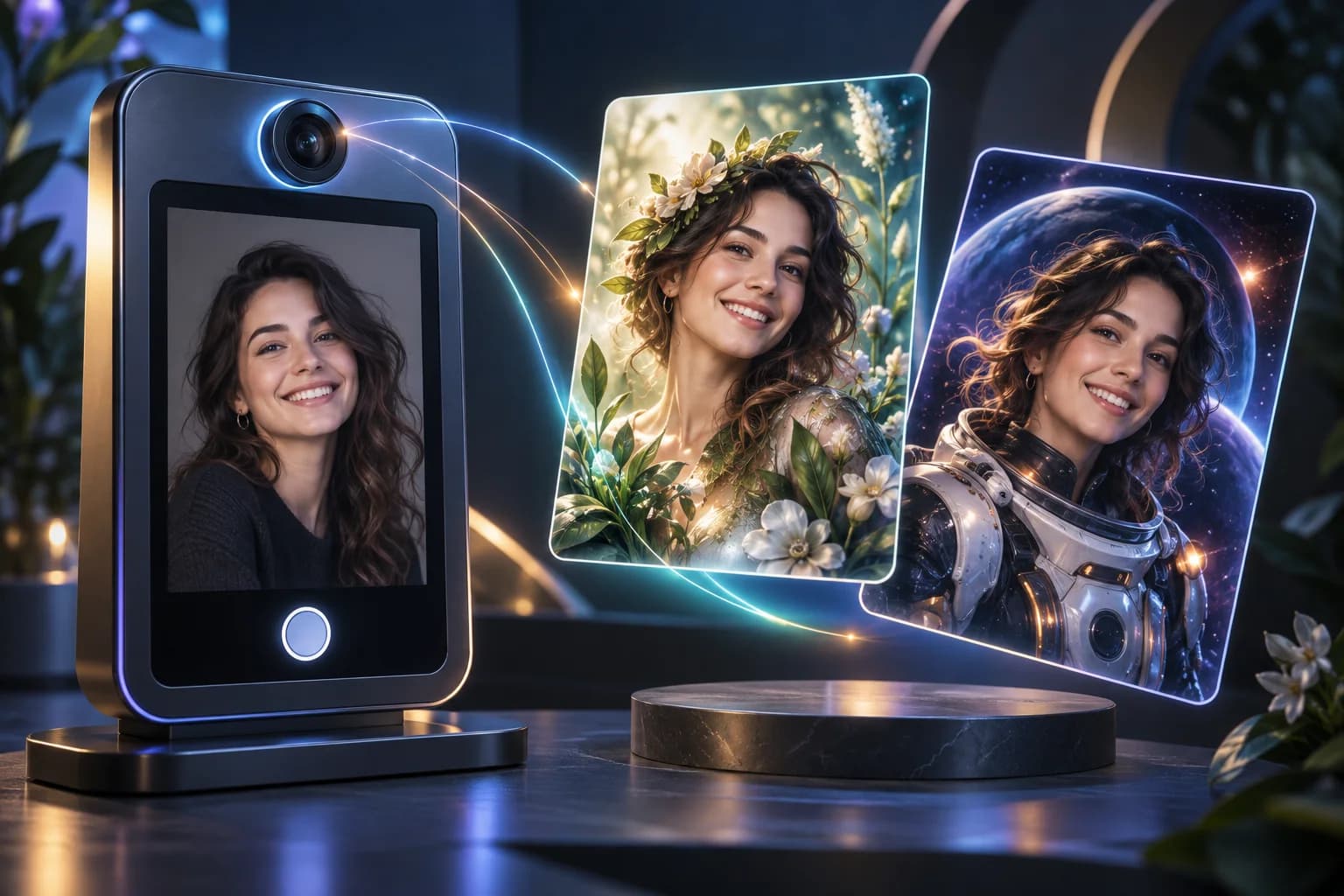
Technanosoft has delivered RFID cube-based video switching software alongside other event applications, including AI photo booths, interactive games, registration and badge printing, digital judging and live audience reactions.

We bring that project experience into planning how visitors interact with the installation—and how your team operates it.

Explore our event software
01

Start With What the Visitor Should Do

Define the physical action, topic choices and intended screen response before building the application. The interaction should be understandable without a technical explanation.

02

Connect the Physical and Digital Design

Plan the cube labels, tag arrangement, reader position and video mapping together. An attractive cube and a polished video still need a dependable connection between them.

03

Build for the Complete Operating Journey

Consider setup, content checks, live operation, manual control and recovery. Give the event team practical tools alongside the visitor-facing experience.

OUR DEVELOPMENT PROCESS

From cube concept
to a tested display experience.

The experience is ready when the cube, software and screen work together.

  1. 01

    Define the Interaction

    Share your event concept, content topics and intended installation. Agree how guests will handle the cube, how they will identify each choice and what should appear on screen.

  2. 02

    Prototype the Physical Trigger

    Test the proposed cube, tags and reader together. Check each intended selection, repeated movements and behaviour near other tagged objects before approving the interaction design.

  3. 03

    Build the Playback Software

    Develop the agreed content mapping, playback rules, branded screens and operator controls. Include content updates, reporting or additional display connections where they are part of the scope.

  4. 04

    Rehearse the Installation

    Test the complete setup with the final videos and intended equipment. Review selection accuracy, switching behaviour, audio, idle screens, interrupted connections and recovery after a restart.

BEFORE WE BUILD

Questions About
RFID Cube & Interactive Display Software

Practical details for planning your experience.

Discuss Your RFID Cube
01What is RFID cube software?

RFID cube software connects recognised RFID tags with specific on-screen content. A compatible reader identifies a configured tag, and the application uses that input to select the assigned video or display state. The cube provides the physical interface for making those selections.

02Can each face of the cube play a different video?

A face-based selection experience can be assessed during the design stage, but the physical arrangement needs to make each intended choice distinguishable.

A standard tag-triggered setup identifies a tag within the reading area; that should not be treated as automatic knowledge of which cube face is uppermost. The relationship between cube position, detected tag and selected video must be designed and tested.

03Does the cube generate new videos with AI?

The experience described on this page selects and plays prepared content. It does not generate a new video when someone interacts with the cube.

AI-generated content, live data or other dynamic experiences would be separate requirements rather than assumed parts of the video-switching software.

04Can we replace the videos for another event?

A content-update workflow can be included so authorised staff can replace media and revise the selection mapping.

Reusing the installation also requires checking the new artwork, video format, instructions and physical setup. Updated content should be tested before the next deployment.

05Can the installation work without an internet connection?

Offline playback is possible with suitable digital-signage hardware and locally available content, but it is not a universal property of every setup.

For your project, the reader connection, playback application, media storage and any licensing dependencies need to be assessed together. Remote content updates and online reporting may have separate connectivity requirements.

06Can it work with an existing television, projector or LED wall?

The proposed display system can be reviewed during scoping.

Confirm the playback device, display connection, resolution, aspect ratio and any LED-wall controller requirements. The software and content should be tested through the actual display system before event use.

07What happens when someone changes the selection during a video?

That behaviour is defined in the playback rules.

The application can be scoped to switch to the new selection, finish the current clip first or temporarily hold the current video. Repeated reads of the same tag should be handled separately from an intentional new selection.

08How quickly will the video change?

Response time should be measured on the intended installation rather than promised from a software demonstration alone.

Testing should cover the complete journey from a recognised interaction to visible playback, using the final media files and selected equipment. Any transition effects should be included in that review.

09Can several cubes control the same screen?

This can be assessed as a custom configuration. The project needs rules for identifying each cube or reading station and deciding which selection takes priority.

Independent displays, a shared display and synchronised screens are different requirements. They should be scoped separately rather than assumed to behave the same way.

10Do you provide the physical cube, RFID hardware and display?

This service focuses on custom software development and the agreed hardware integrations.

Cube fabrication, printed artwork, RFID readers and tags, playback equipment, screens, cabling, installation and on-site staffing should have clearly assigned responsibilities. They should not be assumed to be included in the software scope.

11How much does custom RFID cube software cost?

Pricing depends on the physical interaction, number of selections, playback rules, operator controls, display configuration and integrations.

A single cube controlling one display and a multi-station installation require different development and testing work. The estimate should separate software development from hardware, fabrication, video production and event-operation costs.

YOUR NEXT STORY, IN THEIR HANDS

Give your visitors control of the next story.

Bring us your cube concept, video content and event setup. We’ll help define the software and interaction rules that connect the physical experience with the screen.

Share your event date, content ideas and any equipment already selected.

Let’s Plan Your Interactive Cube Experience

Tell us what you have in mind. Event details can be confirmed later.

Your contact information and event idea

We’ll use these details to respond to your enquiry. Privacy policy.