A Fully Branded Guest Interface
Apply your event identity to the welcome screen, instructions, capture controls and completion message. Use clear language and a consistent visual style throughout the experience.
OPTION TO SCOPEBRANDED SELFIE KIOSK SOFTWARE
Put your guests in the frame.
Give attendees a simple way to take a photo, preview the result and keep a branded memory of your event.
Technanosoft develops custom selfie kiosk software that brings your event identity into the photo experience—from the welcome screen to the final image.
 A MOMENT, BEAUTIFULLY FRAMED.
Self-service photo experiences for conferences, exhibitions, brand activations and corporate events.
MADE FOR THE MOMENT
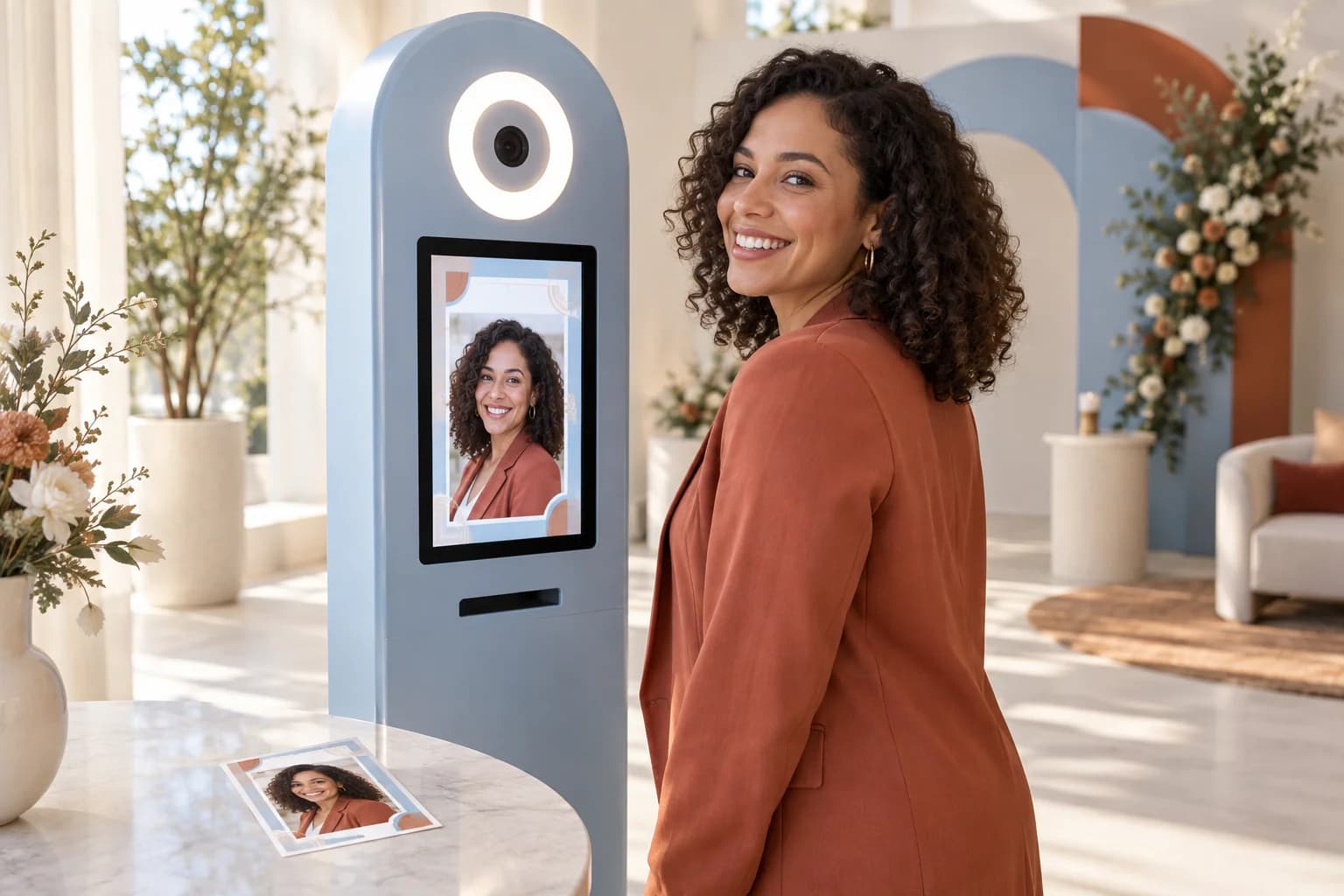
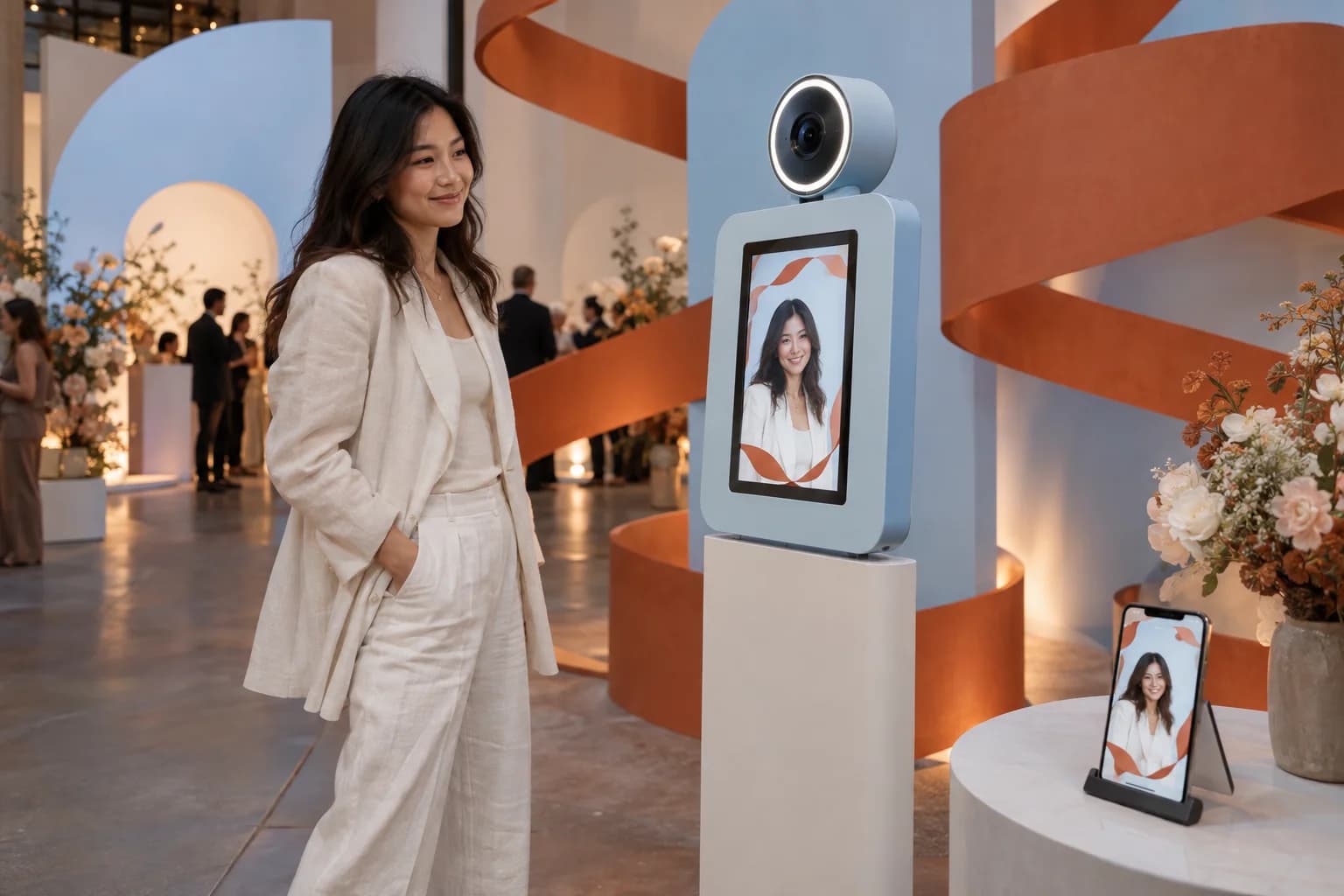
A guest steps up to the screen, gets into position and captures a photo. Your event frame brings the image into the campaign. A clear next step helps them receive their copy.
No complicated controls. No lengthy instructions. Just a photo experience designed around the moment.
We build the software behind that interaction, connecting photo capture, branded layouts and the selected delivery method into a straightforward guest journey.
A real photo. Your event identity.
A personal takeaway.
FROM CAMERA TO KEEPSAKE
A custom selfie kiosk can follow four clear steps. The capture method, preview controls and delivery options are defined around your event setup.
A welcome screen invites the guest to begin. A camera preview helps them position themselves, while an on-screen countdown can make the capture moment clear.
Show the captured photo with the agreed event layout. Let guests confirm their image or take another photo, according to the retake rules defined for the experience.
Guide the guest to the selected output method. This could be QR-code pickup, a digital download journey or a compatible photo-printing workflow included in the project.
Return the kiosk to its welcome screen after the session ends. Clear the previous guest’s photo from the interface so the next person starts with a fresh screen.
BEHIND THE EXPERIENCE / DFDs
These illustrative data-flow diagrams show the guest, camera, software and selected output working together. Final integrations, access controls, storage duration and deletion rules are defined during scoping.
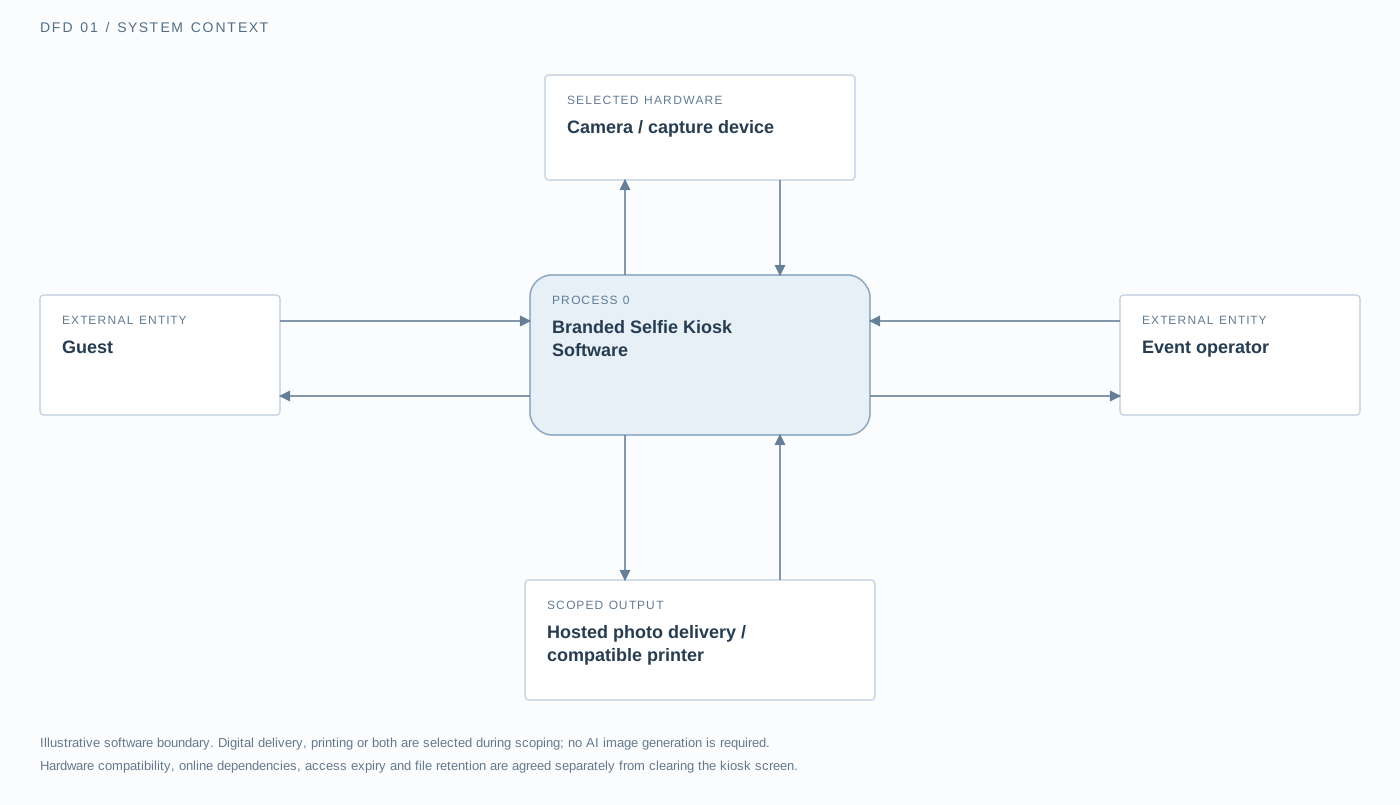
The guest starts, previews and confirms a photo. The software exchanges capture requests and image data with the selected camera. Operators supply approved templates and session settings. The selected output receives the approved photo and returns a pickup reference or print status. No AI generation service is part of this workflow.
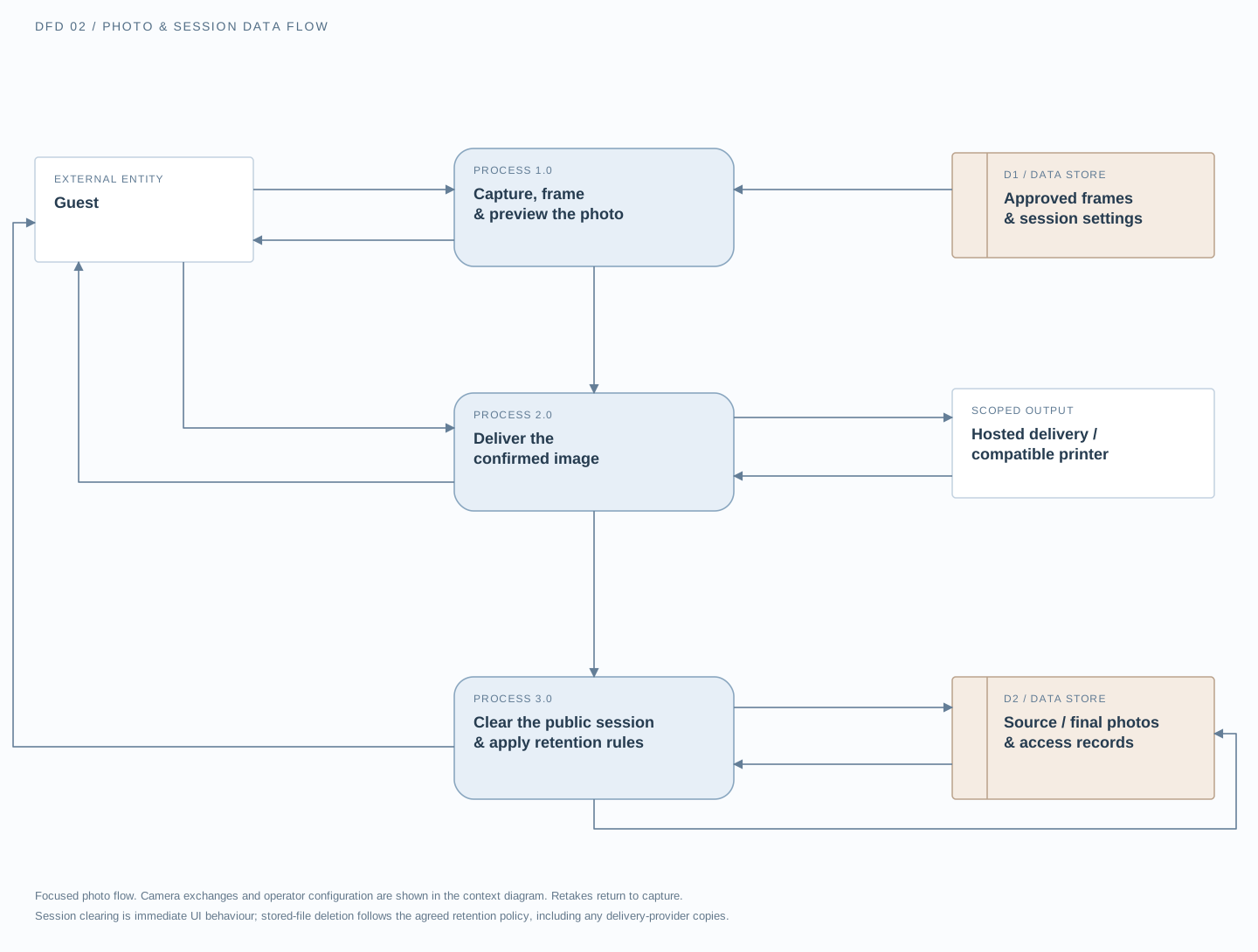
Capture uses approved frames and shows a preview. The guest can request a retake or confirm the image and output. Delivery returns pickup access or print instructions. Session management clears the public screen for the next guest; permitted photo files and access records follow the separately agreed retention and deletion rules. Camera exchanges and operator configuration are shown in the context diagram.
On smaller screens, scroll across the diagram or open it full size.
Clear the screen. Define file retention. A session reset removes the previous photo from the public interface. Source and finished image deletion follows separately agreed storage rules.
Keep the real photo at the centre. Place approved frames around the captured image. Review layouts with representative portraits so artwork leaves room for faces.
Make delivery a scoped choice. QR pickup, hosted downloads and printing have different access, connectivity and equipment requirements. Marketing sign-up is a separate choice.
FEATURES & CUSTOMISATION
Choose the features that suit your audience and operating setup. The final functionality, hardware compatibility and delivery methods are agreed during project scoping.
Apply your event identity to the welcome screen, instructions, capture controls and completion message. Use clear language and a consistent visual style throughout the experience.
OPTION TO SCOPEHelp guests position themselves before taking the photo. Scope a live preview, countdown and capture feedback around the selected camera, lighting and screen arrangement.
OPTION TO SCOPEAdd approved logos, campaign artwork, sponsor branding and event details to controlled photo layouts. Plan the placement carefully so branding supports the photo without covering faces or important details.
OPTION TO SCOPEGive guests a clear choice to confirm their photo or try again. Define whether retakes are unrestricted, limited or managed by an operator to suit your event workflow.
OPTION TO SCOPEInclude a QR-code delivery option that lets guests open their own photo on a phone. Define access controls, link availability and download behaviour as part of the delivery design.
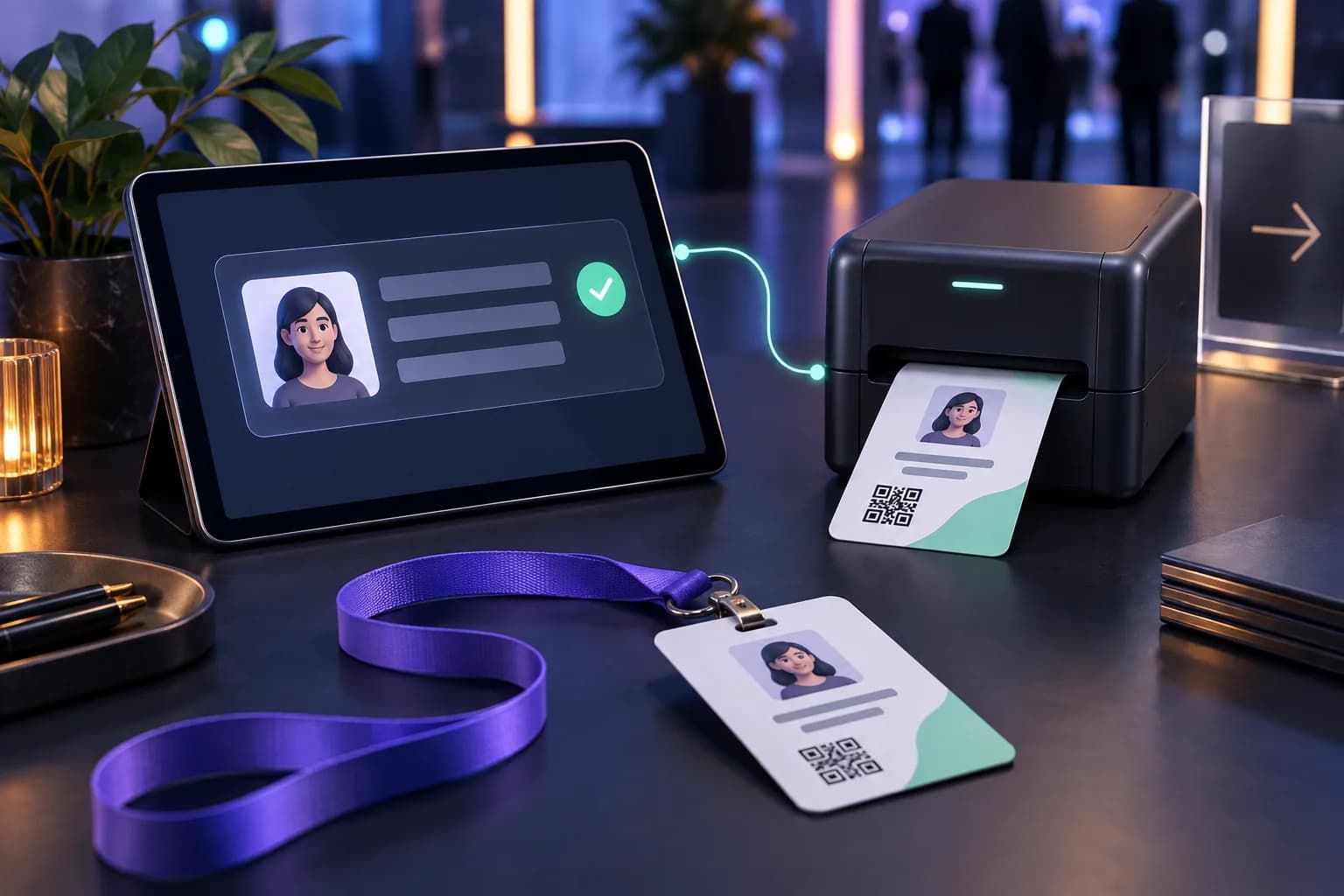
OPTION TO SCOPEConnect the approved photo layout to a compatible printing workflow. Agree the printer model, paper size, print quantity and collection process before development and testing.
OPTION TO SCOPEPlan how event staff start sessions, change active layouts, check capture or delivery status and reset interrupted interactions. Keep staff controls separate from the public-facing kiosk screen.
OPTION TO SCOPEDefine what happens to source photos and finished images after each session. Agree storage duration, access permissions and deletion behaviour separately from clearing the kiosk screen.
OPTION TO SCOPEGive attendees a straightforward way to capture their time at the event. Let them preview the image and choose whether to keep or share it, without making public posting a condition of participation.
Carry the same identity from event signage into the kiosk and final photo. Use approved artwork and consistent layouts to make the activity feel like part of your event—not an unrelated add-on.
Plan the steps between guests, not just the photo itself. Clear completion screens, session resets and operator controls help staff understand what to do when assistance is needed.
A PHOTO POINT WITH A PURPOSE
Explore possible applications for your event. These concepts are illustrative and do not represent previous client results.
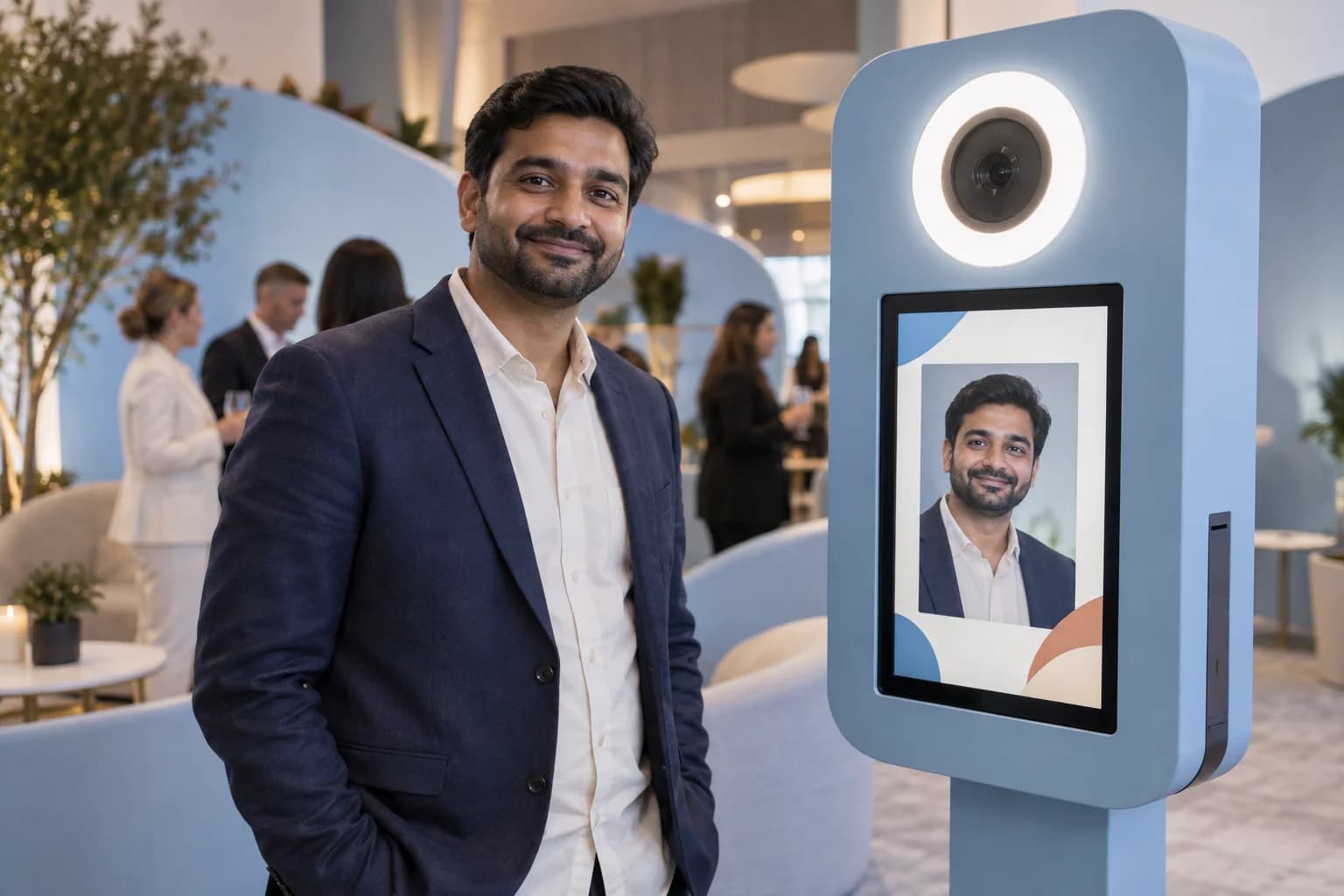 EVENT CONCEPT 01
Create a branded photo point where attendees can capture their participation. Include the event identity in the output layout and place the activity where it fits the attendee journey.
A conference portrait framed with the event name, theme and approved sponsor branding.
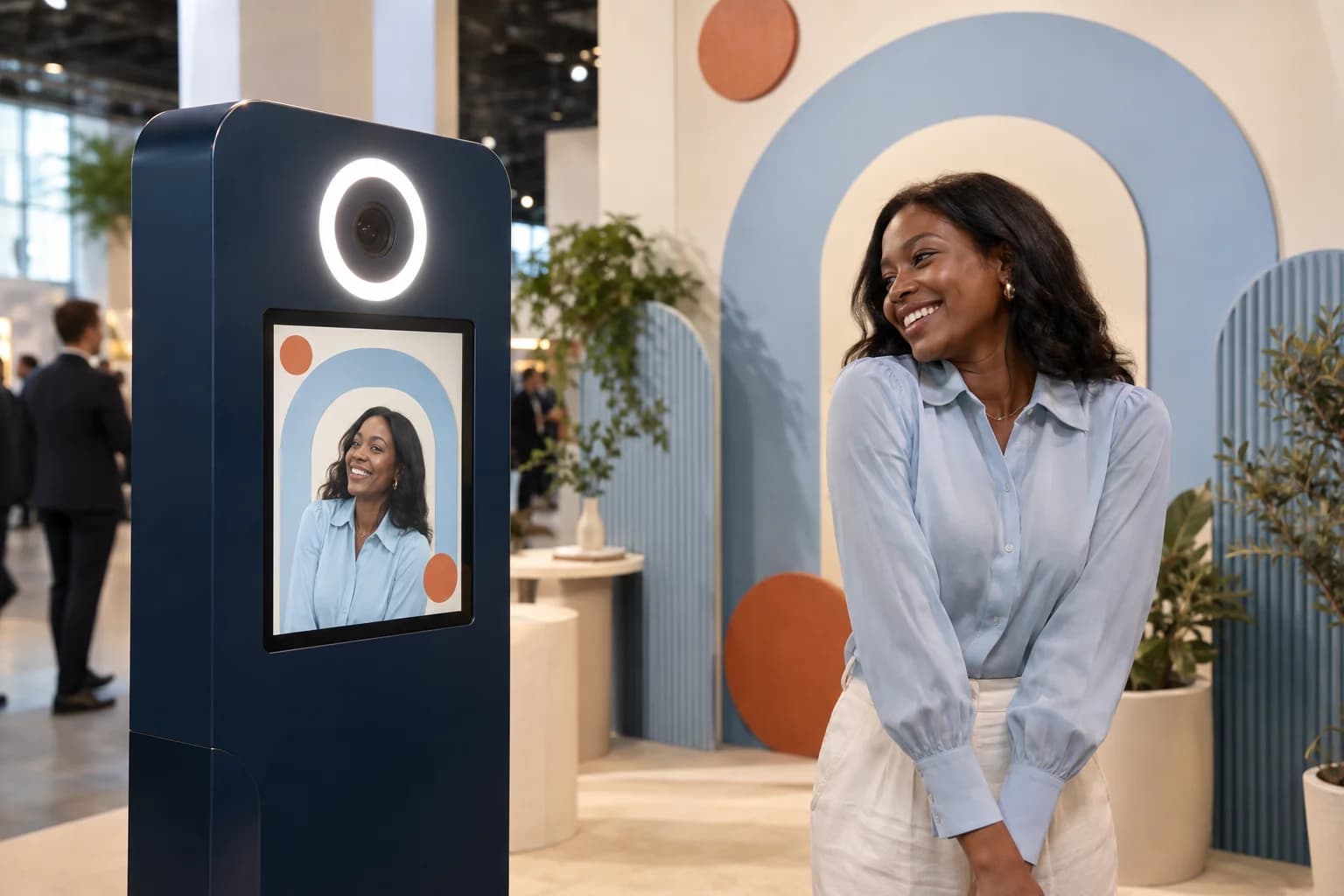 EVENT CONCEPT 02
Add a photo activity to an exhibition or sponsor area. Design the interface and output around the stand’s message, with an operating flow suited to the available space.
A visitor photo presented within campaign artwork connected to the exhibition stand.
 EVENT CONCEPT 03
Make the kiosk another expression of your campaign’s creative direction. Bring the launch visuals into the welcome screen, photo frame and completion message.
A campaign-themed photo layout that guests can receive through the selected digital delivery method.
 EVENT CONCEPT 04
Give colleagues a self-service way to capture a shared occasion. Adapt the layout for an annual celebration, team gathering or internal event.
Individual or small-group photos using an event-specific frame, subject to the camera and space available.
WHY TECHNANOSOFT
Technanosoft has delivered selfie kiosk software alongside other event applications, including AI photo booths, interactive games, registration and badge printing, digital judging and live audience reactions.
Our starting point is the experience you want guests to have—and the practical requirements behind it.
Explore our event softwareShape the interface, photo layout and delivery flow around your brief. Start with the intended guest interaction rather than treating branding as a final layer over a fixed application.
Guests need clear controls. Staff need a way to handle interrupted sessions and prepare the kiosk for the next person. Both sides belong in the software plan.
Confirm the camera, touchscreen, computer and optional printer early. Build and test around the agreed setup rather than assuming every hardware combination behaves the same way.
OUR DEVELOPMENT PROCESS
The experience is ready only when the full journey works—not just when the camera takes a photo.
Share your event date, audience, expected participation and preferred setup. Establish whether guests will receive digital photos, printed copies or both, and identify who will operate the kiosk.
Plan the welcome screen, capture journey, preview and completion steps. Review the photo frame using representative images so logos, text and artwork sit comfortably around the subjects.
Develop the agreed capture flow, operator controls and delivery integrations. Include the necessary session settings and photo-handling requirements within the application scope.
Rehearse the experience using the intended equipment and representative lighting. Check capture quality, retakes, downloads, printing where included, interrupted sessions and resets between guests.
BEFORE WE BUILD
Practical details for planning your experience.
Discuss Your Selfie KioskSelfie kiosk software guides guests through taking a photo on a self-service device. An event-focused application can include a camera preview, capture controls, branded photo layouts, a confirmation screen and a selected delivery method.
The software is developed around the intended equipment and guest experience.
A selfie kiosk primarily captures a real photograph and presents it with the agreed frame or layout.
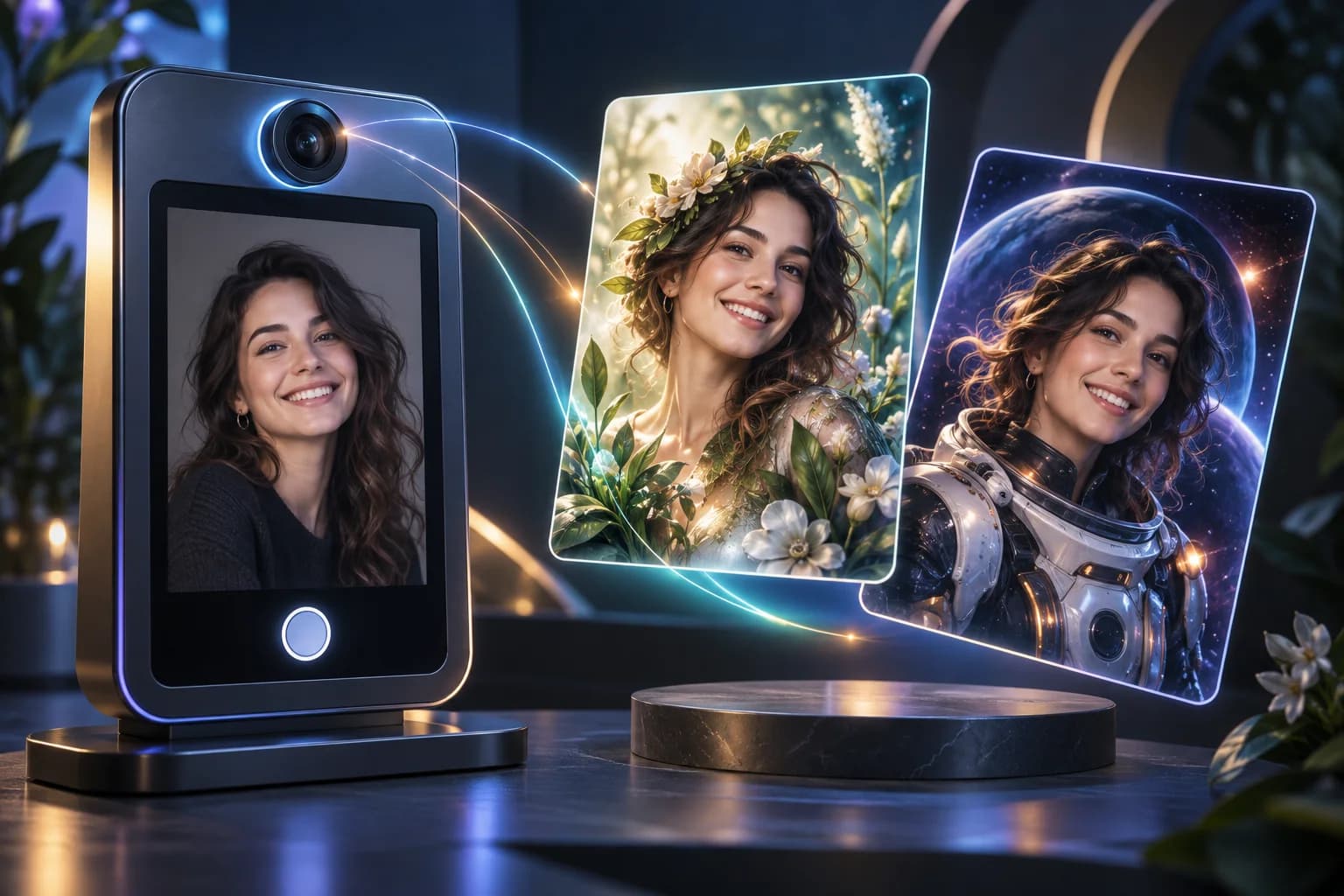
An AI photo booth uses the photo to generate a new interpretation, potentially changing the visual style, clothing or scene. A standard selfie kiosk does not require AI image generation.
Yes. Approved brand assets can be incorporated into the kiosk interface and photo templates.
The design should consider logo placement, image dimensions and the space needed for guests’ faces. Different layouts can be discussed where the event has multiple branding requirements.
Existing equipment can be reviewed during project planning. Compatibility depends on the camera connection, operating system, device performance, screen configuration and any required drivers or interfaces.
The intended hardware should be tested before it is approved for event use.
Digital delivery and printing can be included in the scope.
For digital pickup, define how guests access their individual images and how long access remains available. For printing, confirm the printer, output dimensions, number of copies and collection process.
Connectivity requirements depend on the complete workflow.
Local capture and printing can be assessed for offline operation, while hosted downloads or other online delivery services need appropriate connectivity. Offline support should be specified and tested rather than assumed.
The session-reset workflow can clear the previous photo from the public screen and return the kiosk to its welcome state.
Clearing the screen is different from deleting stored image files. Both interface behaviour and storage rules need to be defined in the project.
Not necessarily. The experience can be designed without contact collection where the selected delivery method allows it.
Any contact fields should have a clear purpose. Photo delivery and marketing sign-ups should be treated as separate choices rather than automatically combined.
This service focuses on custom selfie kiosk software development.
Hardware supply, physical installation, camera positioning, printer consumables and on-site staffing should be explicitly agreed within the project responsibilities. They should not be assumed to be included in the software scope.
Pricing depends on the capture setup, interface requirements, photo templates, operator controls and delivery integrations.
A standalone capture application and a multi-kiosk setup with printing and hosted downloads require different levels of development and testing. The estimate should separate software work from any applicable equipment, hosting and event-operation costs.
YOUR NEXT EVENT, IN THE FRAME
Bring us your event identity and the photo experience you have in mind. We’ll help define the selfie kiosk software, guest journey and equipment requirements around your brief.
Share your event date, expected participation and preferred photo delivery method.