LIVE QUIZ & EVENT GAMIFICATION SOFTWARE

Live Quiz & Event Gamification Software

Turn watching into taking part.

Give your audience a question to answer, a challenge to complete and a reason to follow the next round.

Technanosoft develops custom quiz game software for conferences, exhibitions, brand activations and employee events. Bring your content into a branded experience, with questions, scoring rules and participation formats shaped around your programme.

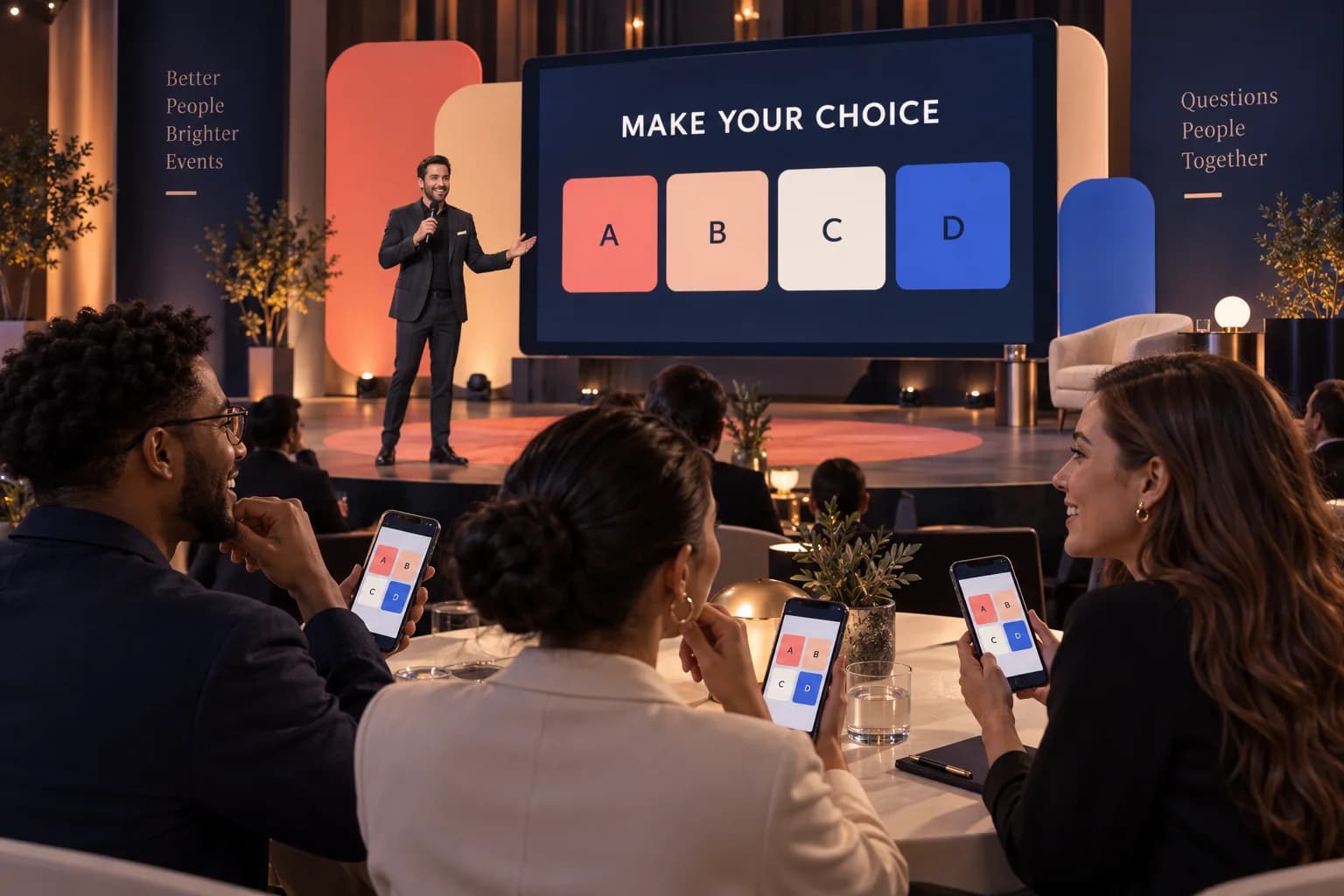
Concept illustration of adults joining a shared quiz on their phones, with a host and a separate venue question display.A QUESTION FOR EVERYONE IN THE ROOM.
01 Join02 Answer03 Discover
AI-generated event concept. Quiz screens, devices and venue setup are illustrative.
MAKE THE NEXT ROUND A SHARED MOMENT

Your questions. Your branding. A shared challenge.

FROM THE MESSAGE TO THE MOMENT

Make your message
the next question.

A product demonstration becomes a discovery quiz. A conference session ends with a shared challenge. Colleagues put their knowledge together in a team competition.

Instead of asking people only to listen, invite them to make a choice.

We build the software behind these interactions, connecting questions, participant responses and results through an experience designed for your audience.

Choose a host-led quiz for the room, a self-paced activity at a kiosk or a team-based challenge within your event.

Ask the question. Let them choose.
Make the answer part of the experience.

THE QUIZ JOURNEY

From the opening question
to the final reveal.

A custom quiz can follow four clear steps. The joining method, question timing and result displays are defined around the selected participation format.

  1. 01

    Join the Experience

    Guests start on the configured kiosk, tablet or participant interface. A browser-based joining flow using a session code or QR link can be included where it suits the event setup.

  2. 02

    Answer the Question

    Present the question and available answers with clear instructions. Let participants respond within the agreed time or complete the activity at their own pace.

  3. 03

    Reveal the Answer

    Show the correct answer once submissions close or at the appropriate point in a self-paced game. Include a short explanation where it helps connect the question with your event message.

  4. 04

    Display the Result

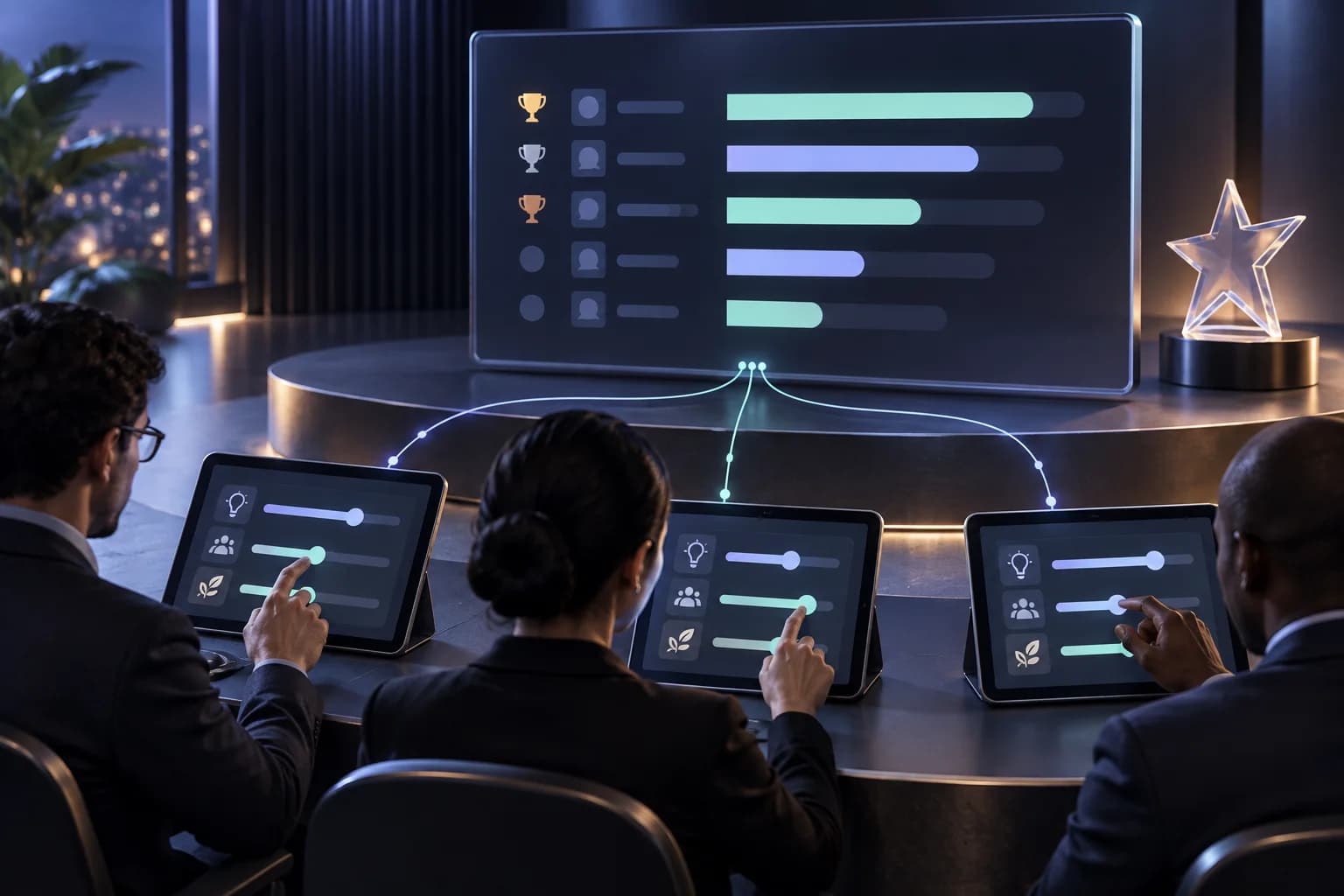
    Calculate points using the approved scoring rules. Show an individual result, a team score or an organiser-controlled leaderboard, depending on the experience you want to create.

Join the quiz Answer the questions Discover the answers See the results

BEHIND THE EXPERIENCE / DFDs

Collect the answers.
Control the reveal.

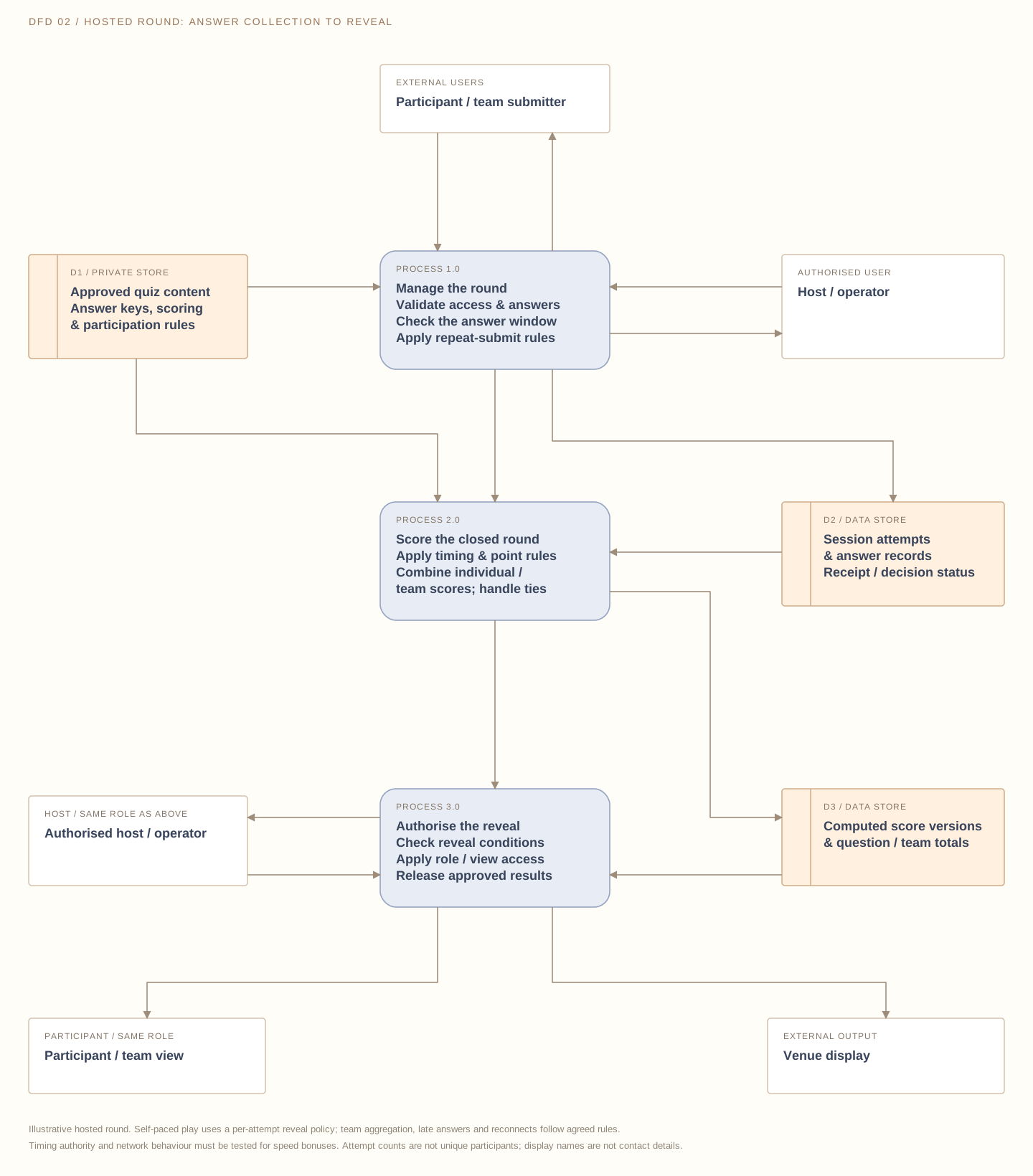
Follow a hosted quiz from session access to accepted answers, calculated scores and approved result views. These illustrative DFDs describe a possible design; timing, team rules, storage and connectivity are agreed for the selected format.

Download SVG
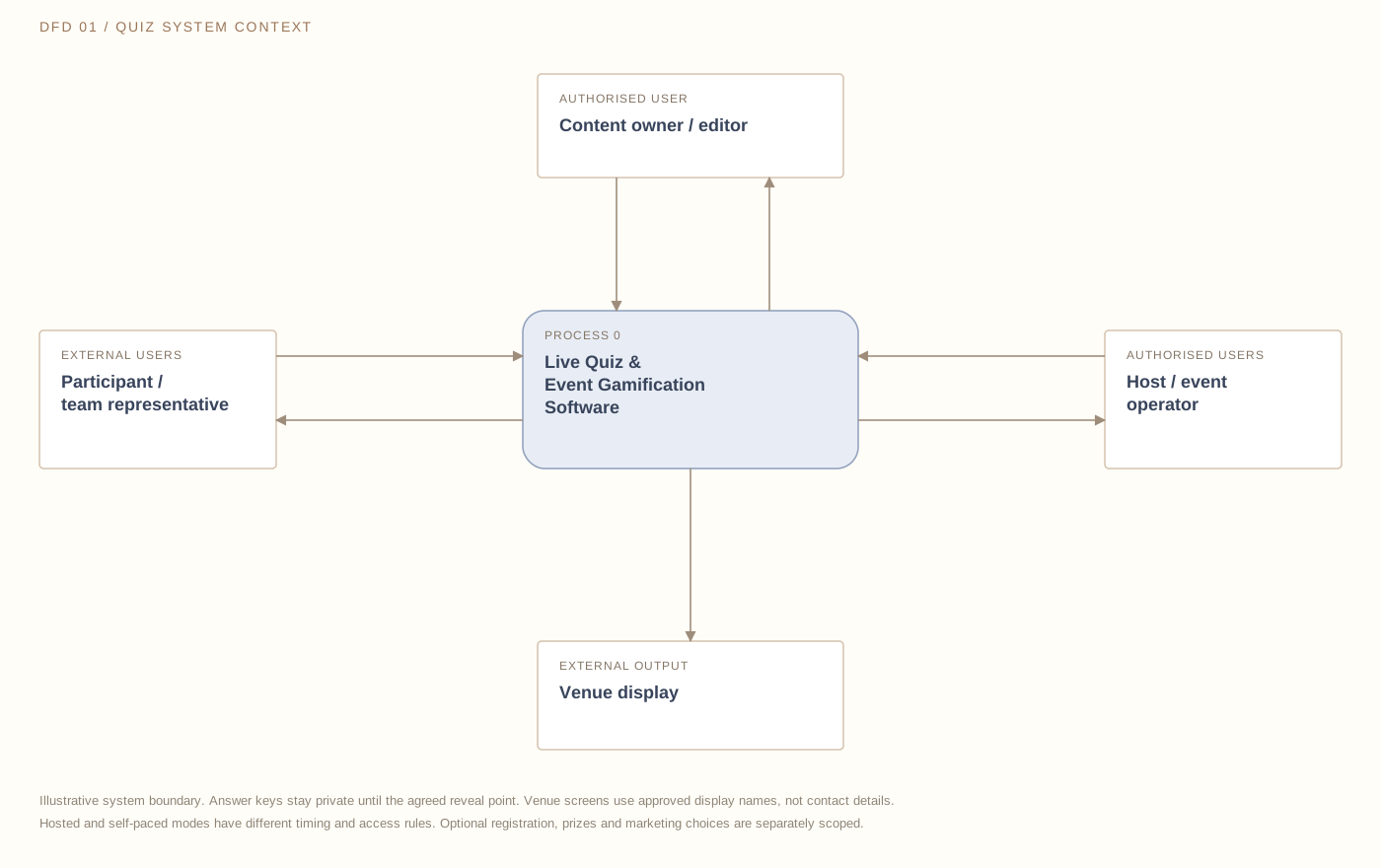
Data-flow diagram connecting participants, reviewed quiz content, authorised host controls and a separate venue display, with answer reveals controlled by the agreed rules.

Participants submit answers within a session or attempt and receive questions, response receipts and permitted results. Content owners provide reviewed questions, private answer keys and scoring rules. Hosts control the round and approve result displays. Venue screens receive only approved questions, reveals and display-safe rankings. Optional registration and reward workflows are separate requirements.

External entity Process Data store→ Labelled data flow
Open full size ↗

On smaller screens, scroll across the diagram or open it full size.

Close submissions before revealing. Participant screens receive the question and choices while the round is open. Correct answers and explanations stay private until the agreed reveal point.

Score accepted answers consistently. Define question timing, repeat submissions, speed bonuses and ties before play. Reconnecting should follow the agreed attempt rules, without silently adding another score.

Choose what the audience sees. Separate personal results and host controls from the venue display. Public rankings use approved display names; contact details do not belong on the leaderboard.

FEATURES & CUSTOMISATION

Build the quiz around your audience
—not a fixed template.

Choose the capabilities that support your event. Question formats, participation modes, scoring and display controls are agreed within the custom project scope.

Branded Questions & Answer Formats

Build rounds using approved text, images and event content. Formats can include multiple-choice, true-or-false and image-based questions.

Review the questions, correct answers and explanations before the event so the game reflects your message accurately.

OPTION TO SCOPE
Host-Led & Self-Paced Play

Run a scheduled quiz where the host controls the questions, or create a walk-up activity that guests complete independently.

Define whether participants move together through each round or follow their own journey from start to finish.

OPTION TO SCOPE

Individual & Team Modes

Let guests compete individually or contribute to a team result. For team play, agree whether one representative submits each answer or individual responses contribute to a combined score.

Build the format around how participants will actually take part.

OPTION TO SCOPE

Timers & Scoring Rules

Set question durations, points for correct answers and any agreed speed bonuses or penalties.

Define how unanswered questions, late submissions and tied results are handled. Keep the rules clear before the first round begins.

OPTION TO SCOPE

Live Leaderboards & Big-Screen Results

Display approved scores between rounds or hold the rankings until the final reveal. Plan separate views for participant devices and the venue screen.

Use suitable display names or team names without exposing registration details unnecessarily.

OPTION TO SCOPE

Host & Operator Controls

Give authorised staff controls for opening questions, closing submissions, revealing answers and advancing rounds.

Agree how pauses, skipped questions and session restarts should behave so the host has a defined operating process.

OPTION TO SCOPE

Session Access & Recovery

Plan how participants join, return after a disconnection and continue an interrupted session. Define late-entry rules and repeat-attempt limits where they matter to the competition.

A walk-up kiosk can also include an automatic reset for the next guest.

OPTION TO SCOPE

Participation & Results Reports

Scope reports for completed attempts, submitted answers, question-level results and final scores.

Help organisers review which questions were frequently missed and where a follow-up explanation may be useful. Keep repeat attempts distinguishable from unique participants where identification supports that distinction.

OPTION TO SCOPE

FOR AUDIENCES & ORGANISERS

Give the room something
to do with your content.

Discuss Your Quiz Game
01 / For Participants

A Clear Way to Join In

Replace a passive viewing moment with a question they can answer. Keep the instructions, controls and result screens understandable without lengthy explanations from event staff.

02 / For Brands

Put the Message Inside the Activity

Make your product information, campaign theme or event topic part of the questions. Use answer explanations to connect the game with what you want visitors to understand.

03 / For Hosts

Control the Pace of the Session

Plan when questions open, when answers appear and when results are revealed. Give the presenter a clear sequence rather than switching between disconnected slides and score sheets.

04 / For Organisers

Keep Responses and Scores Together

Collect answers and calculate results through the agreed workflow. Review participation and scoring without manually combining separate answer forms after the activity.

ONE QUESTION CAN START SOMETHING

Choose the format
that fits the moment.

These examples illustrate possible configurations, not previous client results.

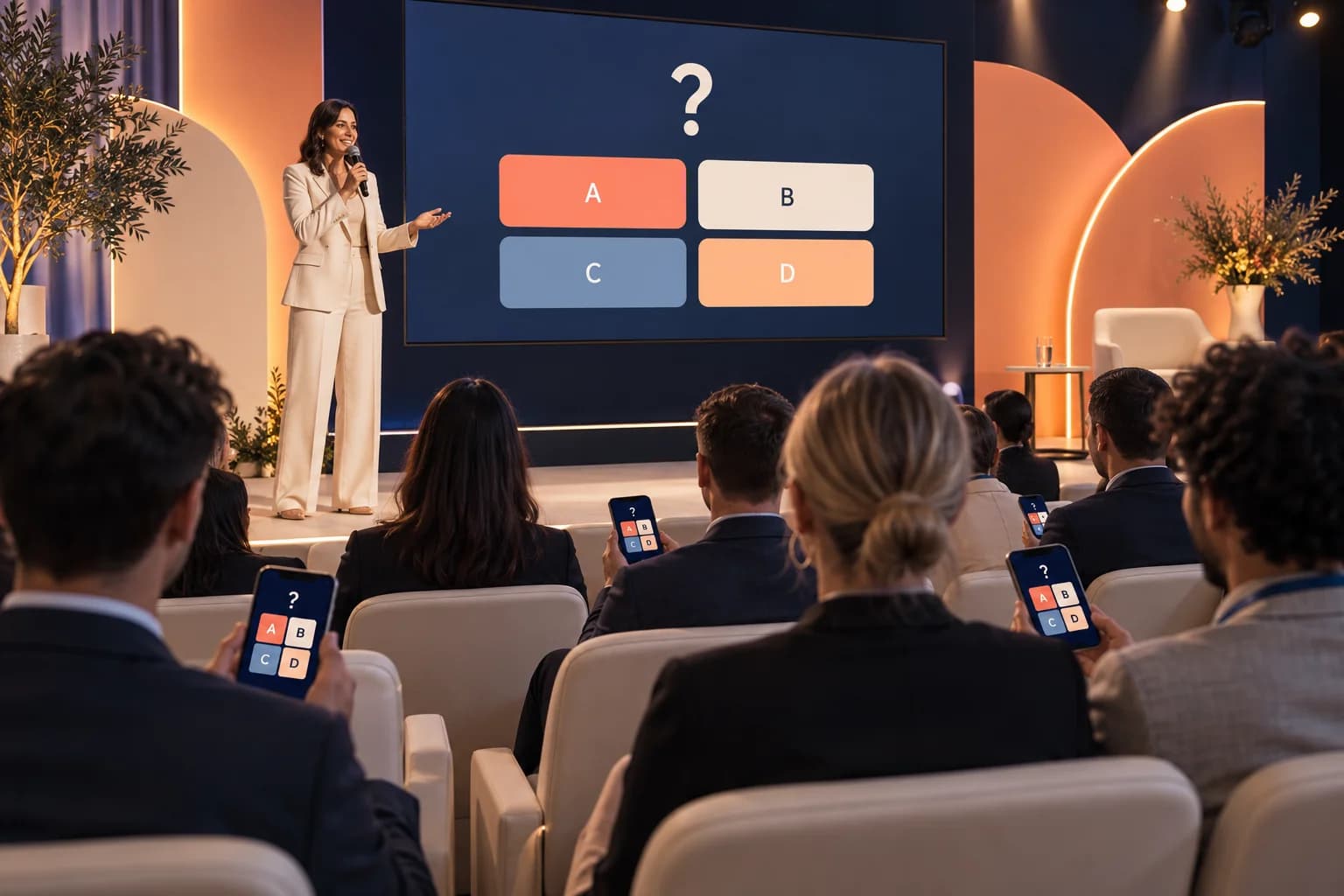
Concept illustration of a conference host running a shared quiz round while attendees respond on their phones.EVENT CONCEPT 01
AI-generated concept illustration

Conferences & Business Summits

Invite the room to revisit key topics through a host-led quiz. Present questions between sessions or build a dedicated challenge into the programme.

EXAMPLE CONCEPT

A session recap where attendees answer on configured devices, followed by an explanation and a controlled result reveal.

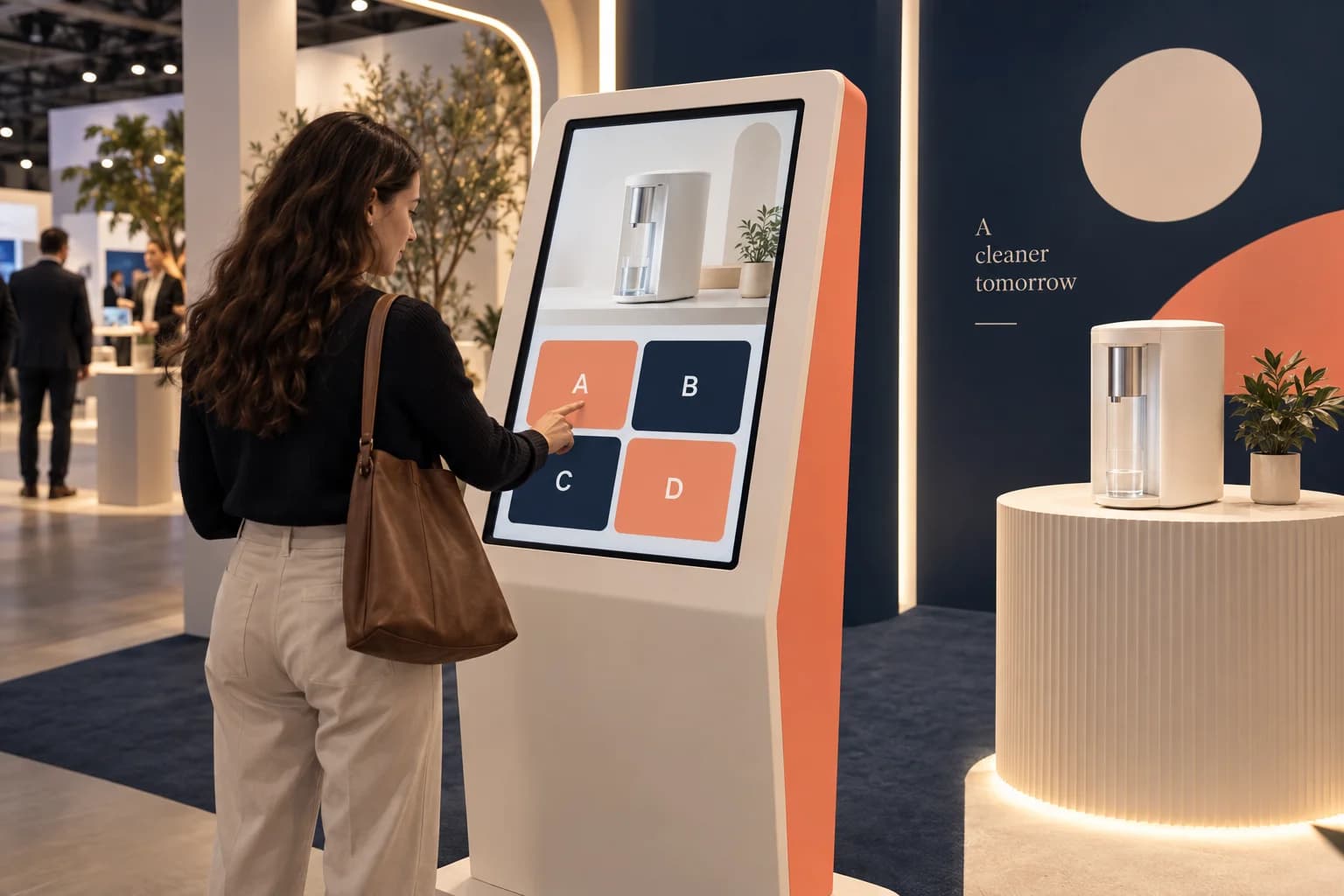
Concept illustration of a visitor answering a self-paced product quiz on an exhibition touchscreen kiosk.EVENT CONCEPT 02
AI-generated concept illustration

Exhibitions & Trade Shows

Create a short, self-paced quiz for visitors at your stand. Use approved product information and keep the activity suited to the time people are likely to spend there.

EXAMPLE CONCEPT

A touchscreen quiz that introduces product applications and finishes with the visitor’s score.

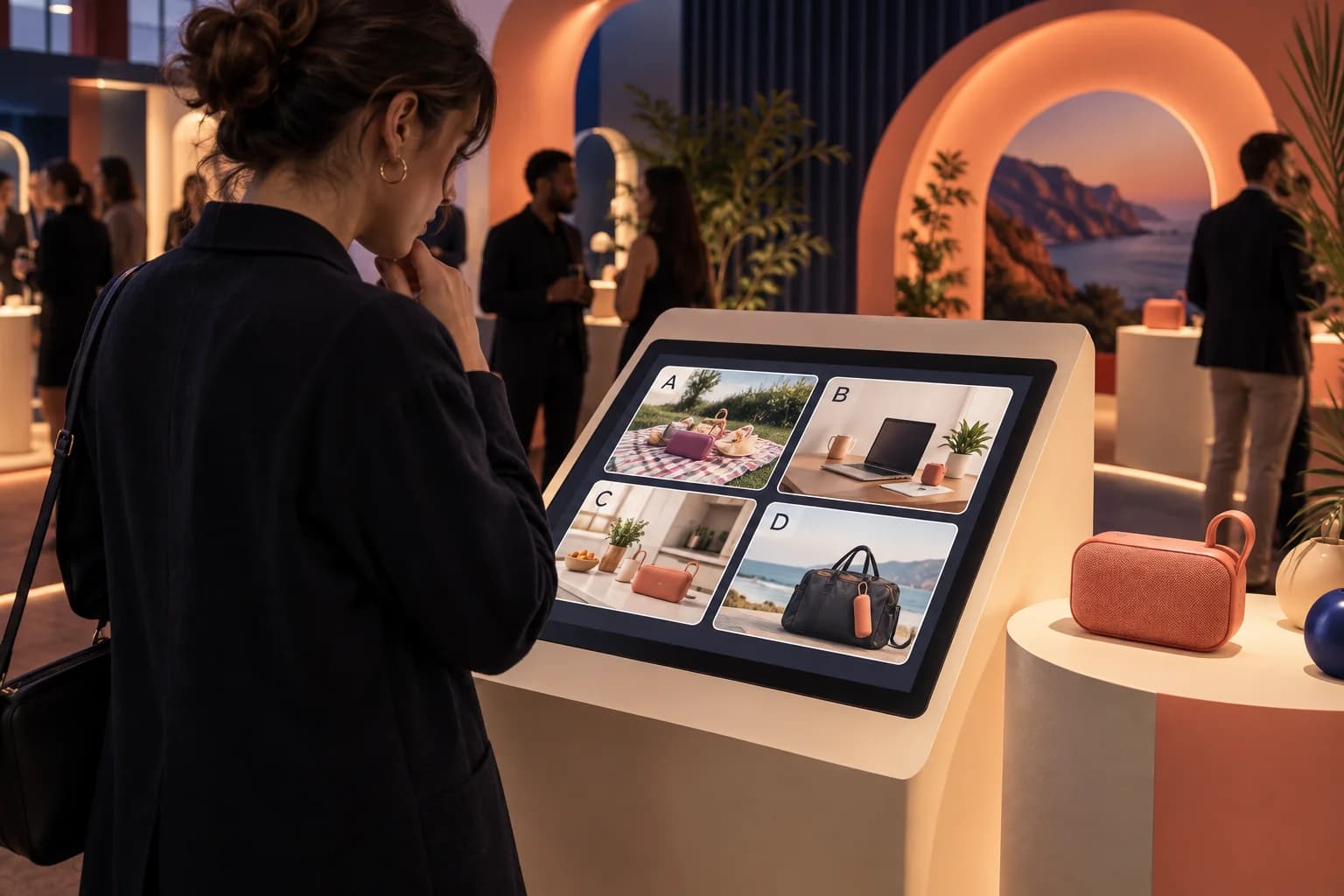
Concept illustration of a product launch quiz with image-based answer choices on a participant touchscreen.EVENT CONCEPT 03
AI-generated concept illustration

Brand Activations & Product Launches

Turn campaign content into a question-led experience. Let guests explore product features, recognise campaign visuals or identify the right application for a product.

EXAMPLE CONCEPT

An image-based challenge using launch artwork, with a branded result screen and an optional reward instruction.

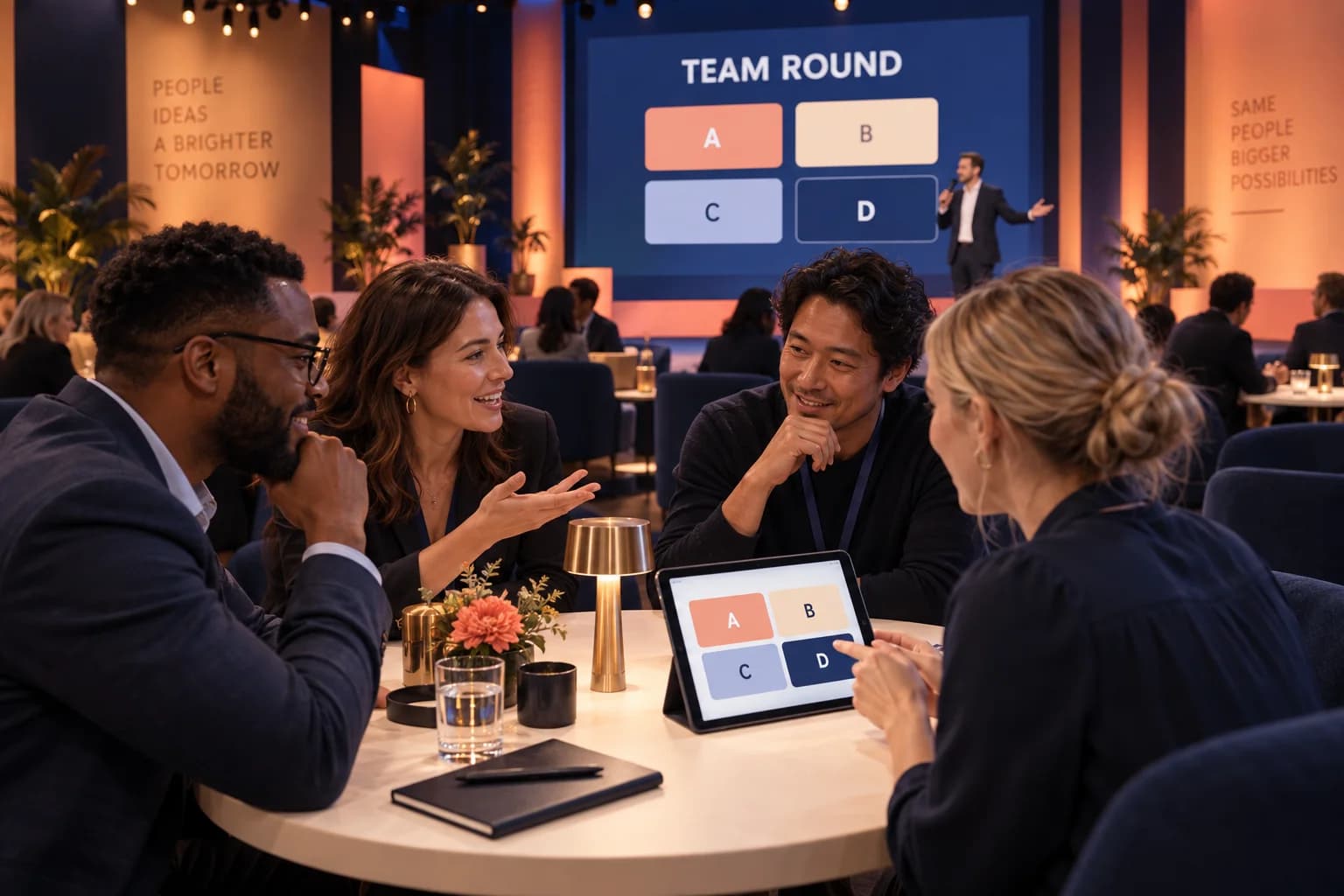
Concept illustration of colleagues discussing a quiz answer while one team representative submits on a shared tablet.EVENT CONCEPT 04
AI-generated concept illustration

Employee Events & Team Competitions

Build a quiz around company knowledge, shared interests or approved training content. Choose individual participation or a team format with clearly defined submission rules.

EXAMPLE CONCEPT

A hosted team challenge with themed rounds, combined scores and a final leaderboard reveal.

WHY TECHNANOSOFT

The questions are only
part of the experience.

Technanosoft has delivered quiz game software alongside other event applications, including interactive puzzles, registration and badge printing, digital judging, selfie kiosks and live audience reactions.

We bring that project experience into planning the game, the participant interface and the tools your team needs to run it.

Explore our event software
01

Start With the Purpose

Define whether the quiz should introduce a product, revisit presentation content or create a shared competition. Build the questions and game mechanics around that objective.

02

Design for Players and Presenters

Participants need clear questions and response controls. Hosts need visibility into the session and control over the next step. Plan both experiences together.

03

Agree the Rules Before the Results

Scoring, ties, repeat attempts and interrupted sessions should have defined handling. Test these situations before the activity becomes part of your live programme.

OUR DEVELOPMENT PROCESS

From question ideas
to a rehearsed event activity.

A great final question needs a well-tested journey leading up to it.

  1. 01

    Define the Quiz Format

    Share your event date, audience, expected simultaneous participation and preferred setup. Agree whether the activity is host-led, self-paced, individual or team-based.

  2. 02

    Prepare the Questions & Gameplay

    Organise the rounds, answer choices, correct answers and explanations. Define timing, scoring, tie handling and what participants see at each stage.

  3. 03

    Build the Participant & Host Interfaces

    Develop the agreed player screens, session controls and result views. Apply approved branding and connect any required joining, reporting or display workflows.

  4. 04

    Rehearse the Complete Session

    Test joining, answer submission, scoring and result reveals using representative content and the intended devices. Check simultaneous participation, interrupted connections and recovery steps before event use.

BEFORE WE BUILD

Questions About
Live Quiz & Event Gamification Software

Practical details for planning your experience.

Discuss Your Quiz Game
01What is live quiz software?

Live quiz software presents questions, collects participant answers and calculates results using defined rules.

For events, a custom application can include branded screens, host controls, timed rounds, individual or team scoring and an audience-facing results display. The exact format is developed around the event requirements.

02How is a quiz different from a poll or audience reaction tool?

A quiz usually evaluates responses against a correct answer or an agreed scoring rule.

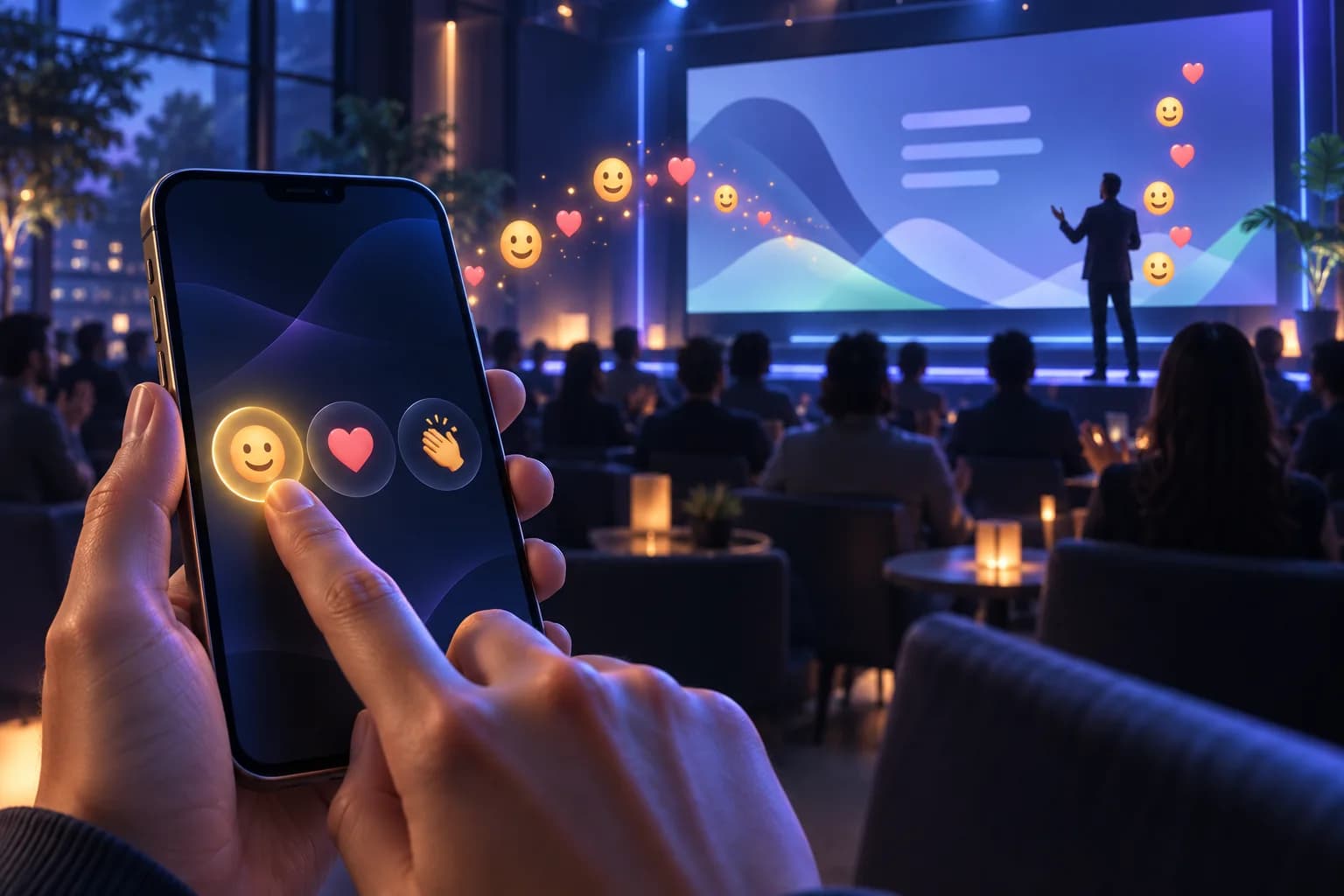
A poll collects opinions or preferences without necessarily having a correct answer. Audience reactions let participants express a response, such as applause or an emoji. These activities should remain distinct unless a combined experience is specifically planned.

03Can the quiz use our branding and product questions?

Yes. Approved brand assets, product information and event content can be incorporated into the game.

Questions, answer keys and explanations should be reviewed by the appropriate content owner before they are used. The software applies the agreed answers; it should not be relied on to decide whether unreviewed content is correct.

04Can guests participate using their own phones?

A browser-based participant interface can be included, with joining through a session code or QR link.

Device compatibility, venue connectivity and the number of simultaneous participants need to be considered. An app-free joining experience should be confirmed as part of the selected design rather than assumed for every configuration.

05Can we run the quiz on a touchscreen kiosk instead?

Yes. A self-paced kiosk or tablet experience can be scoped separately from a room-wide hosted quiz.

The application can guide each guest through the questions, display their result and reset for the next person. Shared leaderboards or connections between multiple kiosks are additional requirements to define.

06How are points, speed bonuses and ties handled?

The scoring method is agreed before development. It can use points for correct answers, with optional timing rules or other clearly defined conditions.

Speed-based scoring needs particular attention to timing and connection behaviour. Tie handling should be explicit—for example, allowing shared positions or using a predefined tiebreak round.

07How many participants can join at the same time?

Capacity depends on the selected architecture, hosting, device setup and network environment.

The project should specify expected simultaneous participation and test against that requirement. Total event attendance is not the same as the number of people submitting answers at once.

08Can the quiz work without an internet connection?

A standalone kiosk or local-network setup can be assessed for operation without public internet access.

However, a room-wide quiz still needs a suitable connection between participant devices and the application. Local operation, result storage and any later synchronisation should be defined and tested as part of the complete workflow.

09Can we collect participant details or offer prizes?

Optional registration fields and reward instructions can be included where they serve a clear event requirement.

Define entry eligibility, repeat-attempt rules, tie handling and how winners are verified. Contact collection should have an explained purpose, and marketing participation should remain a separate choice.

10Do you provide tablets, displays and an event host?

This service focuses on custom quiz software development and agreed integrations.

Devices, display equipment, venue networking, event hosting, prizes and on-site staffing should have clearly assigned responsibilities. They should not be assumed to be included in the software scope.

11How much does custom live quiz software cost?

Pricing depends on the participation format, question types, scoring rules, host controls, display views and integrations.

A standalone kiosk game and a multi-device live competition need different development and testing work. The estimate should separate software development from hosting, equipment, content production and event-operation costs.

YOUR NEXT QUESTION. THEIR NEXT MOVE.

Make the next question part of your event.

Bring us your topic, audience and preferred quiz format. We’ll help define the software, gameplay and operating setup around the experience you want to create.

Share your event date, expected simultaneous participants and the content you want to bring into the game.

Let’s Plan Your Live Quiz Experience

Tell us what you have in mind. Event details can be confirmed later.

Your contact information and event idea

We’ll use these details to respond to your enquiry. Privacy policy.