EVENT REGISTRATION & BADGE PRINTING SOFTWARE

Event Registration & Badge Printing Software

From registered guest to badge in hand.

Make arriving at your event straightforward—for your guests and the team welcoming them.

Technanosoft develops custom event registration and badge printing software that brings attendee information, check-in and badge generation into a connected workflow. Find the right registration, confirm the guest’s arrival and prepare their badge without repeatedly entering the same details.

Concept illustration of an event welcome counter connecting a staff registration screen, badge printer and badge handover.THE FIRST IMPRESSION, WELL ORGANISED.
01 Attendee record02 Check-in03 Badge
AI-generated concept illustration. Interface, badges and equipment are illustrative.
A CONNECTED WELCOME

Custom-built for conferences, exhibitions, business summits and corporate events.

FROM LISTS TO A CONNECTED WORKFLOW

Your welcome shouldn’t depend on three separate spreadsheets.

A guest registers online. Their details sit in one list. Someone prepares badges in another application. At the venue, a third sheet tracks who has arrived.

We build software that connects these steps around the same attendee record.

Give your team a clear route from registration to check-in, with badge layouts, corrections and reprints handled through an agreed process. Spend less effort moving information between tools and more attention welcoming guests.

One attendee record.
From registration to the registration desk.

THE ARRIVAL JOURNEY

A clear arrival journey,
before the first session begins.

The registration and check-in process can be tailored to your event rules, attendee categories and venue setup.

  1. 01

    Register or Import Attendees

    Collect the required details through an event registration form or bring in an existing attendee list. Define which information is necessary and review imported records before the event.

  2. 02

    Find the Guest’s Registration

    Let authorised staff locate an attendee by name, registration reference or a configured QR-code lookup. Provide a manual search route for guests who do not have their confirmation available.

  3. 03

    Confirm the Arrival

    Review the attendee’s details, check the applicable registration status and record their arrival. Flag previous check-ins so staff can follow the agreed process rather than create another record.

  4. 04

    Generate & Print the Badge

    Use the attendee’s approved details and assigned template to prepare the badge. Keep check-in status separate from printing status so a printer issue does not require registering the guest again.

Register Find the attendee Confirm arrival Print the badge

BEHIND THE EXPERIENCE / DFDs

One connected record.
Distinct, reliable statuses.

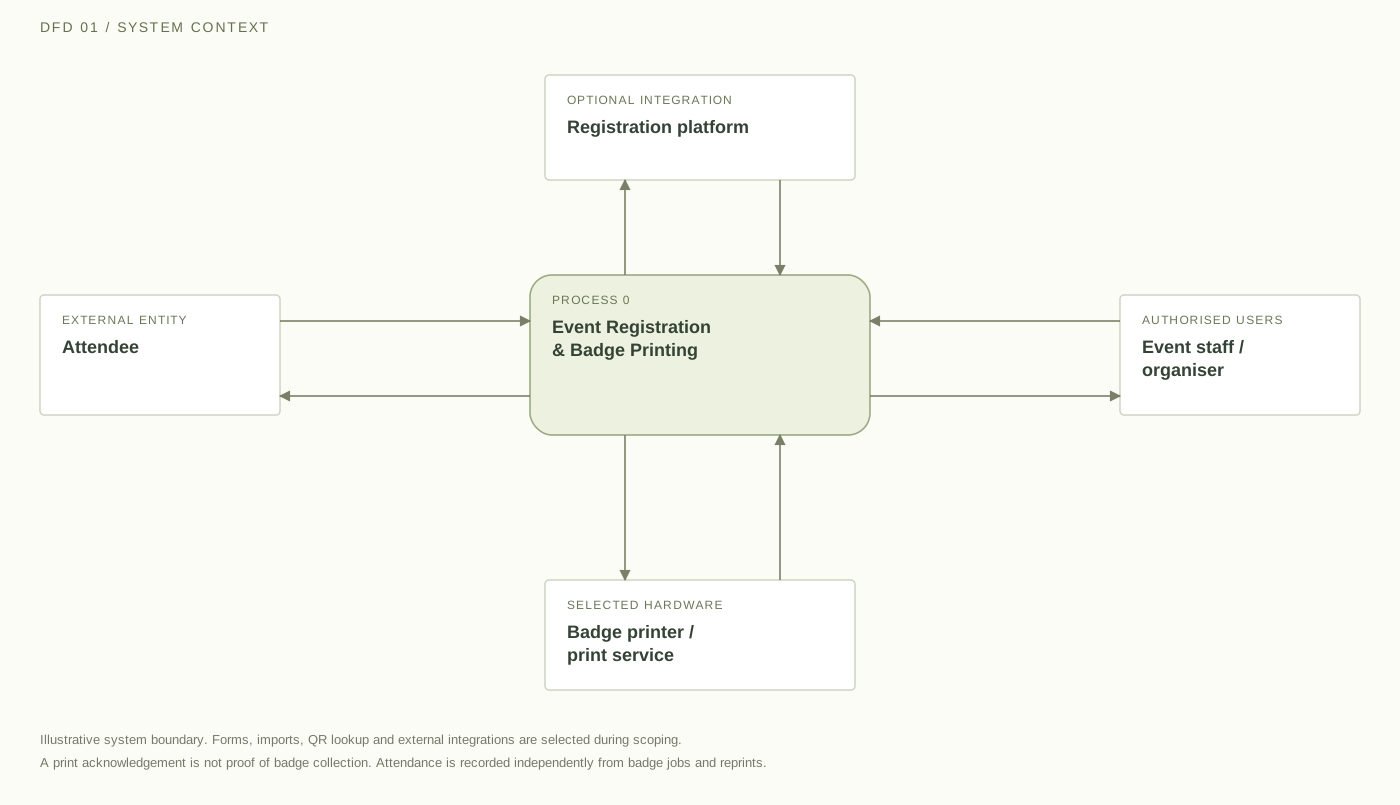
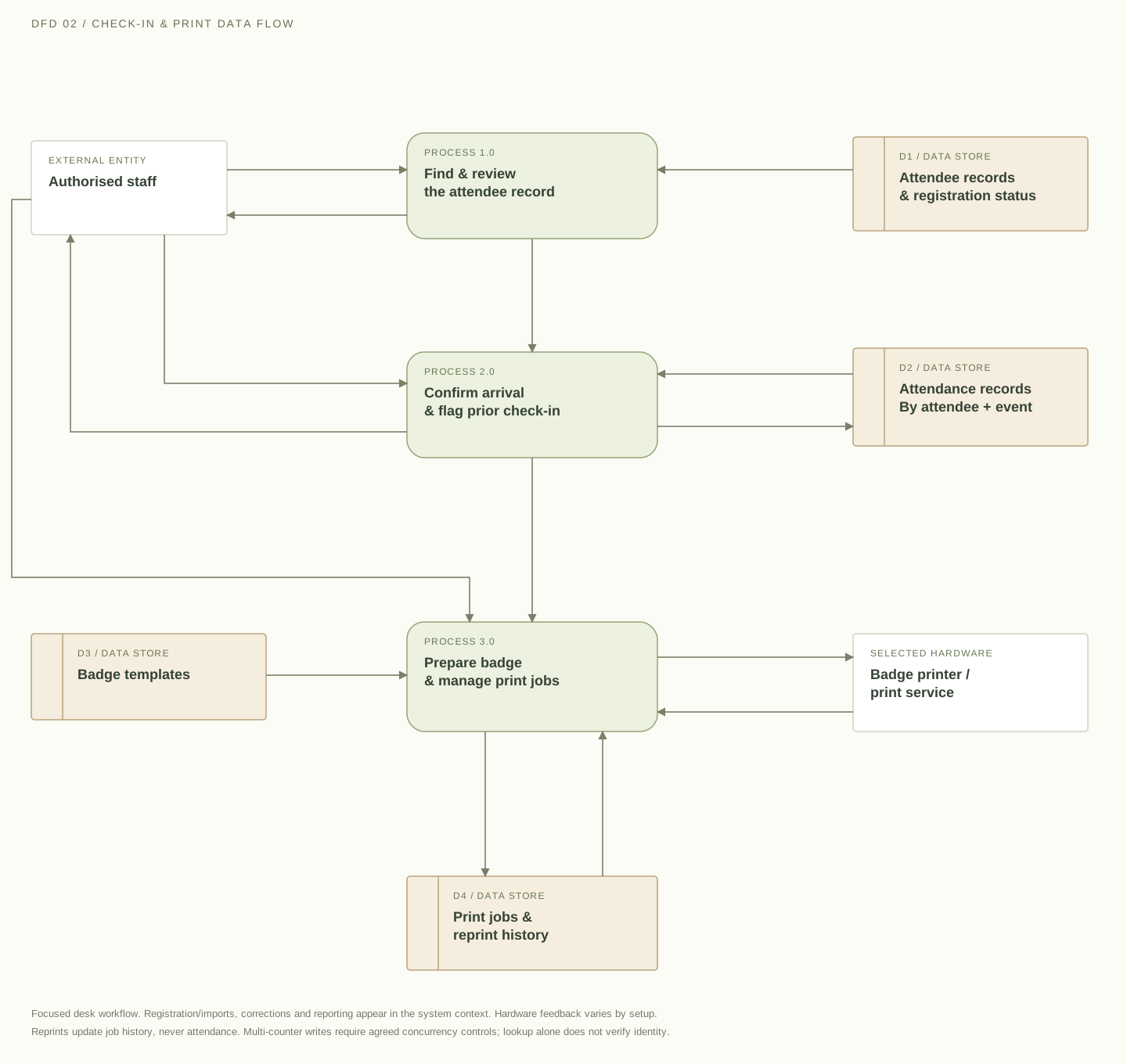
These illustrative data-flow diagrams show how attendee records, authorised check-ins and print jobs can connect. They describe a possible design; access rules, integrations, storage and synchronisation are agreed for your event.

Download SVG
Data-flow diagram connecting attendee registration, authorised staff, an optional registration platform and a selected badge printer, with separate arrival and print status.

Attendees supply registration details and receive a reference. Staff supply templates, imports and operational requests, and receive record matches, statuses and reports. An optional registration platform provides attendee records. The selected printing setup receives badge payloads and returns job status or errors where supported. A printer acknowledgement does not prove that a badge has been collected.

External entity Process Data store→ Labelled data flow
Open full size ↗

On smaller screens, scroll across the diagram or open it full size.

Attendance is its own record. Confirm arrival once against the attendee record. A replacement badge or failed print job does not count as a new guest.

Lookup supports the staff decision. A name, reference or configured QR code locates a registration. Staff still follow the organiser’s identity and eligibility checks.

Scope access and recovery. Define permissions for corrections, walk-ins and reprints. Shared counters and offline activity need agreed concurrency, synchronisation and recovery rules.

FEATURES & CUSTOMISATION

Build the registration desk
your event needs.

Choose the capabilities that fit your event format and operating requirements. Forms, check-in methods, hardware connections and reporting are defined within the custom project scope.

Custom Registration Forms & Attendee Imports

Collect the information your team actually needs, such as name, organisation, designation and attendee category. Scope a branded registration form, an existing-list import or both, with checks for missing details and potential duplicate records.

OPTION TO SCOPE
Attendee Search & QR-Code Check-In

Help staff find registrations through searchable attendee records. QR-code lookup can be included for compatible scanning devices, with a manual fallback when a guest cannot access their code.

OPTION TO SCOPE

Attendee Categories & Badge Templates

Create different layouts for delegates, speakers, exhibitors, sponsors or staff. Define which information appears on each badge and use approved templates to keep the output consistent across categories.

OPTION TO SCOPE

Walk-In Registration & Detail Corrections

Include a controlled process for approved walk-ins and last-minute changes. Decide who can add attendees, correct names or change categories, and which updates need an organiser’s approval.

OPTION TO SCOPE

On-Site Badge Printing

Connect attendee records with the selected badge layout and compatible printing setup. Plan the output around the printer model, badge dimensions and materials rather than treating printing as an afterthought.

OPTION TO SCOPE

Reprint Controls & Duplicate Check-In Flags

Distinguish a replacement badge from a new attendee arrival. Define who can approve reprints, how reasons are recorded and how repeated check-in attempts should appear to staff.

OPTION TO SCOPE

Staff Access & Registration Counters

Give team members access appropriate to their responsibilities. A multi-counter setup can be scoped with shared attendee records, clear status updates and rules for handling simultaneous activity.

OPTION TO SCOPE

Registration & Attendance Reporting

View the information relevant to your event, such as registered attendees, checked-in guests and attendance by category. Define exports and reporting views without treating badge print counts as a substitute for attendance.

OPTION TO SCOPE

FOR GUESTS & ORGANISERS

A better welcome starts
with information in place.

Discuss Your Registration Setup
01 /

Less Repeated Data Entry

Use registration details to populate the badge instead of asking staff to type the same information into a separate document. Keep corrections connected to the attendee record.

02 /

Clearer Steps for Your Team

Give registration staff a defined process for finding guests, confirming arrivals and handling exceptions. Make it clear what happens when a name is missing, a badge needs replacing or a printer stops responding.

03 /

Consistent Badge Layouts

Use approved templates rather than adjusting individual badges at the desk. Keep attendee names, company details and category labels in their intended positions.

04 /

A More Useful Attendance View

Separate the number of people registered from the number checked in. Give organisers a clearer view of arrival activity without confusing reprints, test badges or failed print attempts with additional attendees.

DIFFERENT EVENTS. A CLEAR WELCOME.

Adapt the workflow
to the people arriving.

Explore possible applications for your event. These concepts are illustrative and do not represent previous client results.

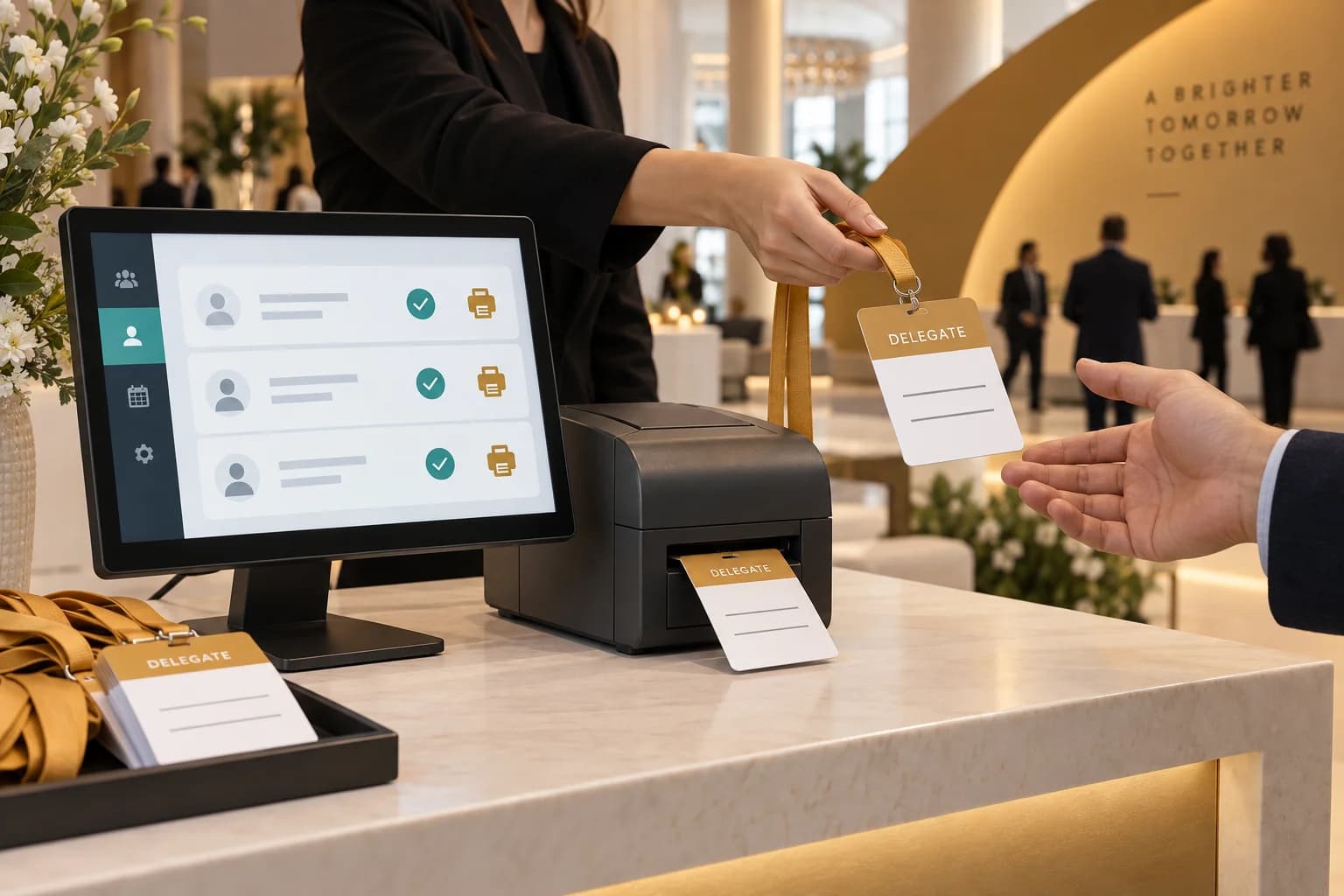
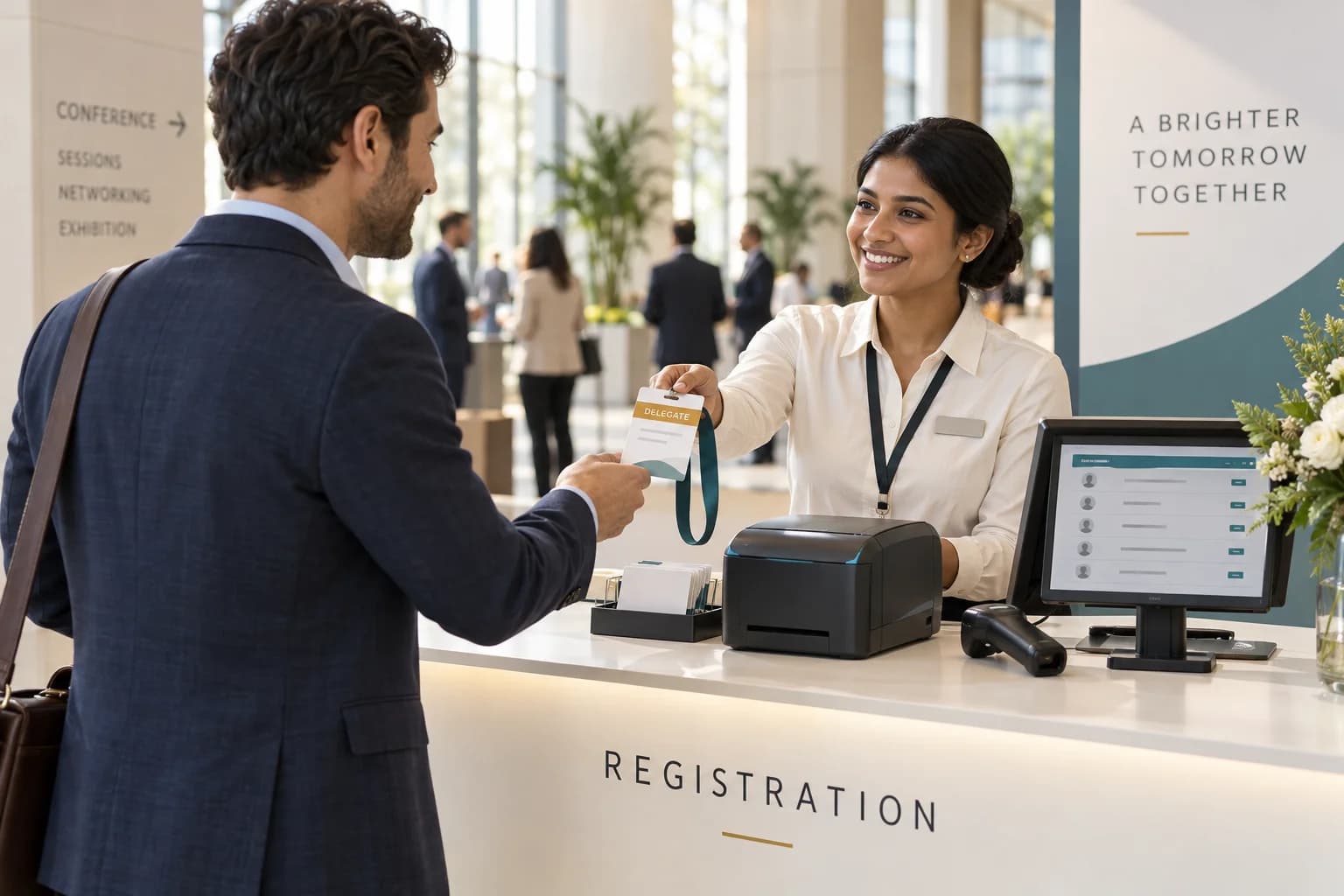
Illustrative conference registration desk with a staff member handing a badge to an attendee.EVENT CONCEPT 01
AI-generated concept illustration

Conferences & Business Summits

Manage delegate, speaker and organiser records with badge layouts suited to each category. Plan the check-in process around the registration information already collected before the event.

EXAMPLE SETUP

Pre-registered delegates checked in at staffed counters, with badges printed from their attendee records.

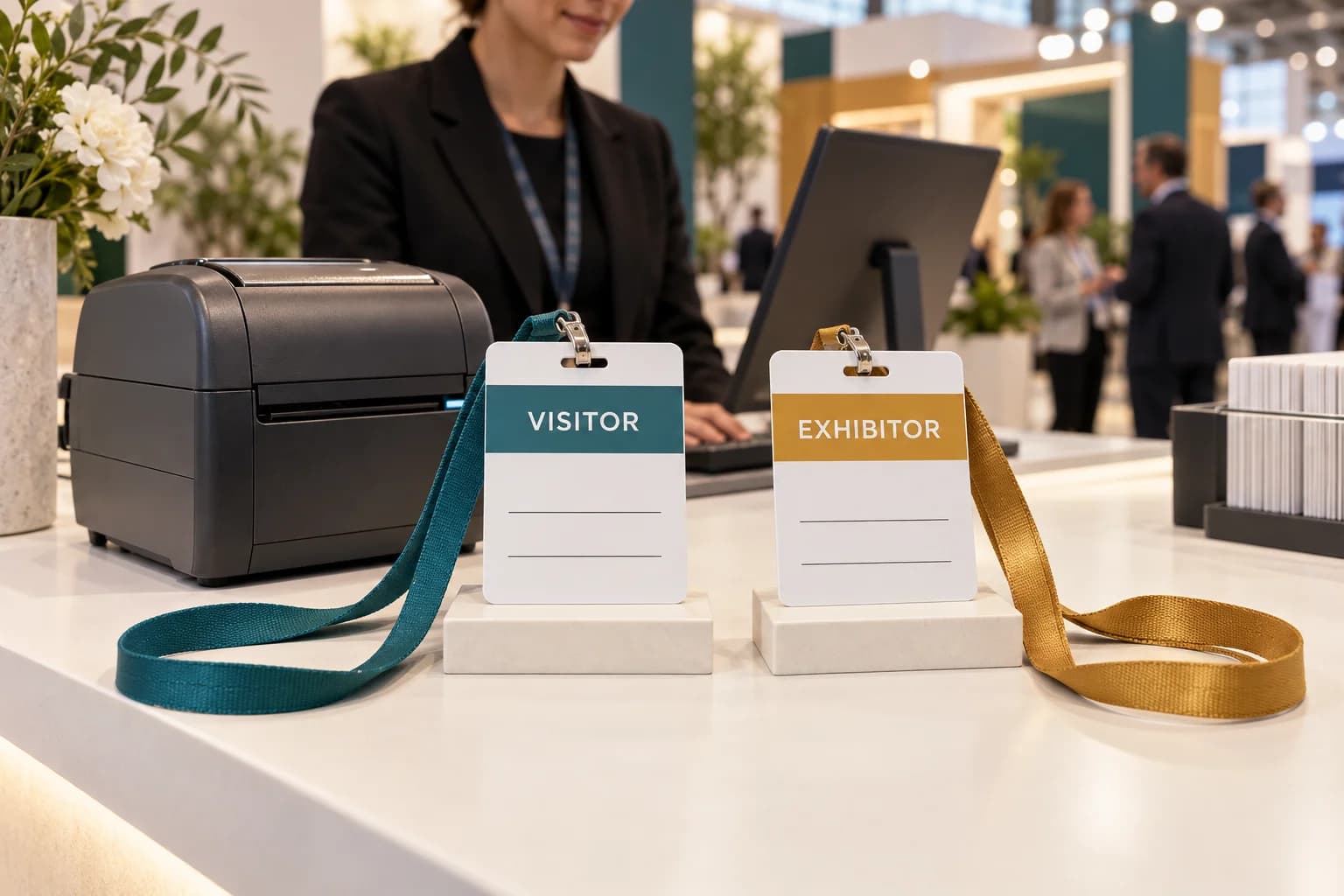
Illustrative visitor and exhibitor badge templates beside a desktop badge printer at an exhibition.EVENT CONCEPT 02
AI-generated concept illustration

Exhibitions & Trade Shows

Support different registration requirements for visitors, exhibitors and event staff. Define how approved walk-ins are added without mixing them into the wrong attendee category.

EXAMPLE SETUP

Separate visitor and exhibitor badge templates, with controlled registration for guests arriving without a prior booking.

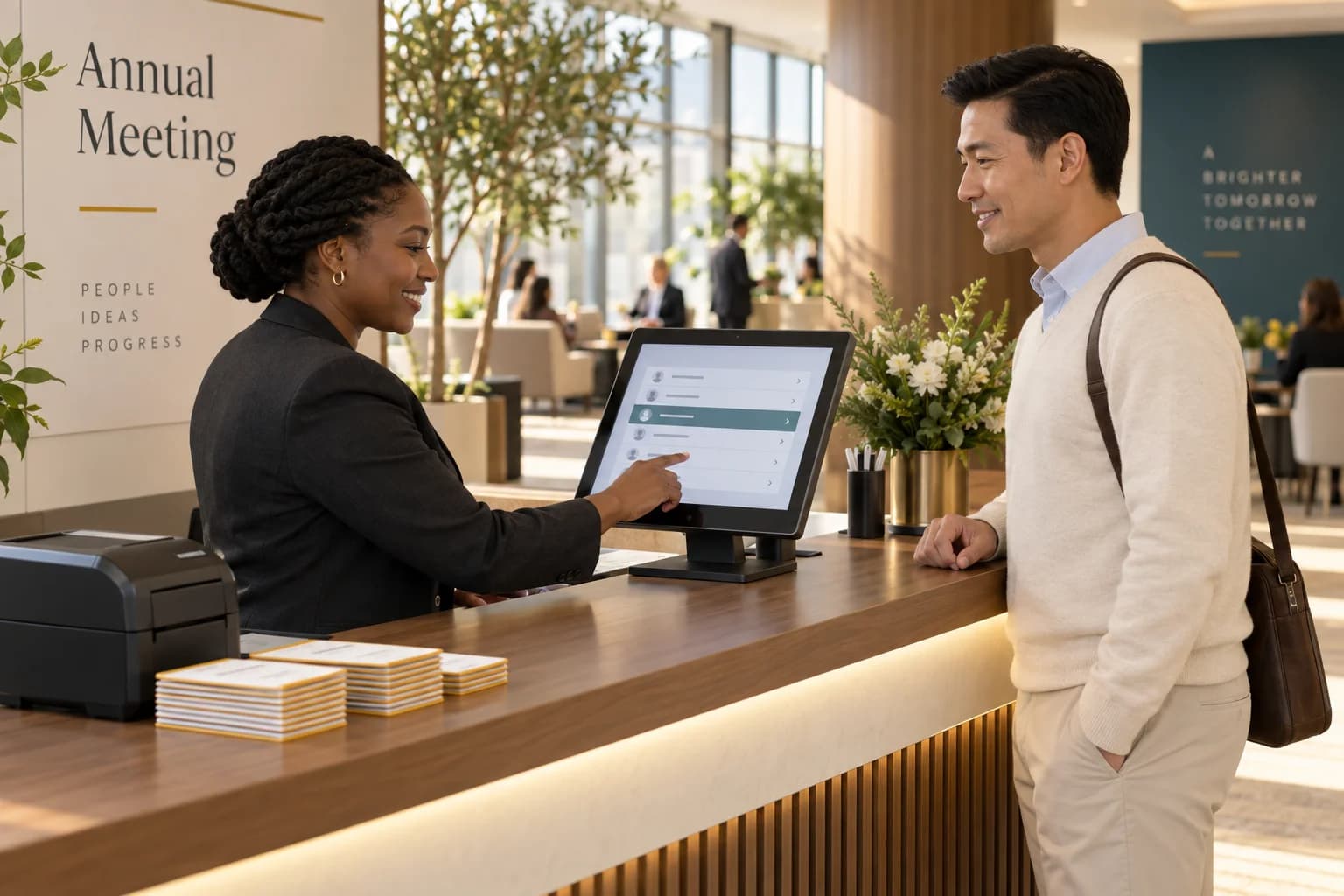
Illustrative corporate arrival desk with staff reviewing an invitation list before preparing a guest badge.EVENT CONCEPT 03
AI-generated concept illustration

Corporate Events & Annual Meetings

Build an arrival process around an approved invitation list. Keep the registration requirements proportionate to the event and make last-minute corrections manageable for authorised staff.

EXAMPLE SETUP

A guest list imported before the event, followed by name-based lookup and personalised badge printing.

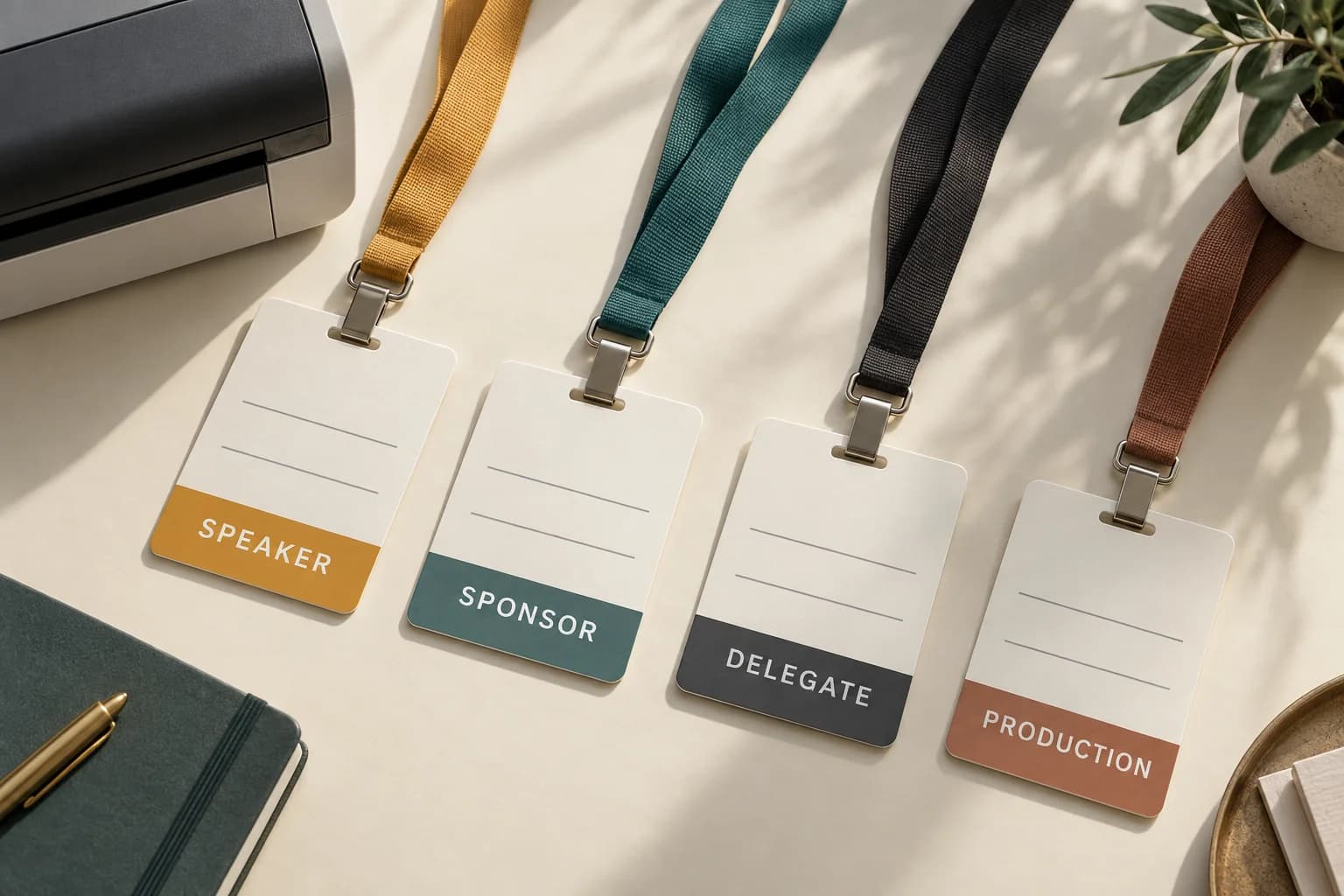
Illustrative speaker, sponsor, delegate and production badge layouts with different category colours.EVENT CONCEPT 04
AI-generated concept illustration

Multi-Category Events

Create one registration workflow with distinct rules for different groups. Define what staff need to see and what belongs on the badge, rather than displaying every collected detail.

EXAMPLE SETUP

Different badge layouts for speakers, sponsors, delegates and production teams.

WHY TECHNANOSOFT

Software built around
your registration process.

Technanosoft has delivered event registration and badge printing software alongside other event applications, including AI photo booths, selfie kiosks, interactive games, digital judging and live audience reactions.

We bring that project experience into discussions about the software, equipment and people involved in welcoming attendees.

Explore our event software
01

Start With the Actual Workflow

Map how guests register, how staff confirm arrival and how badges are issued. Build around your event rules instead of making your team adapt to unnecessary steps.

02

Plan the Exceptions, Not Just the Ideal Journey

Consider missing registrations, spelling corrections, replacement badges and interrupted printing. Give staff a defined way to handle these situations before they occur at the venue.

03

Test With the Intended Equipment

Confirm the computers, scanners, printers and badge materials early. Review the application and physical output together rather than approving the software from screen previews alone.

OUR DEVELOPMENT PROCESS

From attendee requirements
to a rehearsed check-in desk.

A badge that looks right on screen still needs to print correctly at the desk.

  1. 01

    Define the Registration Rules

    Share your event date, expected attendance, attendee categories and registration process. Agree how invitations, approvals, walk-ins, corrections and reprints should be handled.

  2. 02

    Design the Forms, Screens & Badges

    Plan the registration fields, staff interface and print templates together. Test badge layouts with representative names and company details, including longer text that may need special handling.

  3. 03

    Build the Application & Connections

    Develop the agreed attendee workflows, staff controls and reporting. Connect the selected registration sources and printing equipment where integrations are included in the scope.

  4. 04

    Rehearse the Venue Workflow

    Test the process using the intended hardware and representative attendee data. Review multiple-counter activity, repeated scans, corrections, interrupted printing and recovery steps before the event.

BEFORE WE BUILD

Questions About
Event Registration & Badge Printing Software

Practical details for planning your experience.

Discuss Your Registration Setup
01What is event registration and badge printing software?

It connects attendee registration information with the check-in and badge-generation process.

A custom application can include registration forms, attendee lookup, arrival tracking, badge templates and printing controls. The exact workflow is designed around the event’s rules, staff responsibilities and selected equipment.

02Can we use an existing attendee list?

An import workflow can be included so your team can work with registration details already collected.

The source format, required fields, category mapping and duplicate-handling rules need to be agreed. Imported records should be reviewed before the event rather than assumed to be ready for printing.

03Do guests need a QR code to check in?

No. QR-code lookup is an optional check-in method.

The application can also provide staff with name-based or registration-reference search. Any additional identity or eligibility checks should follow the organiser’s agreed process; locating a registration is not, by itself, proof of identity.

04Can the software print different badges for speakers, delegates and staff?

Category-specific badge templates can be included. Each template can use different approved artwork, labels and attendee fields.

The category assignments and layout rules should be defined before the event so registration staff do not need to redesign badges at the desk.

05Will the software work with our existing badge printers?

Existing printers can be reviewed during project planning. Compatibility depends on the printer model, operating environment, connection method, output dimensions and badge material.

The intended setup should be tested with actual print samples. Compatibility with every printer should not be assumed.

06Can multiple registration counters use the software?

A multi-counter configuration can be included in the project scope.

The design needs to account for shared attendee records, staff permissions and simultaneous actions. Repeated scans and updates from different counters should be tested under representative operating conditions.

07Can the registration system work without internet access?

Offline or local-network operation can be assessed as a project requirement.

The answer depends on where attendee records are stored and which external services are involved. Where locally recorded activity must later synchronise, recovery and duplicate-handling rules need to be part of the design.

08What happens when someone needs a replacement badge?

A reprint workflow can let authorised staff issue a replacement without creating a new registration or counting another arrival.

Agree whether reprints require a reason or approval, and what activity should be recorded for the organiser to review.

09How is attendee information handled?

The project should define which details are collected, who can access them, what appears on badges and how long records are retained.

Avoid placing unnecessary personal information on printed badges. Registration communications and optional marketing permissions should be handled as separate requirements.

10Do you provide the printers, badge materials and on-site staff?

This service focuses on custom software development.

Printer supply, badge stock, lanyards, scanning equipment, venue installation and on-site staffing should be explicitly agreed within the project responsibilities. They should not be assumed to be included in the software scope.

11How much does custom registration and badge printing software cost?

Pricing depends on the registration workflow, number of templates, target equipment, staff controls, reporting and integrations.

A single registration desk and a multi-counter installation have different development and testing requirements. The estimate should distinguish software work from equipment, consumables, hosting and event-operation costs.

YOUR NEXT EVENT, READY TO WELCOME

Make the first interaction feel well organised.

Tell us how guests register, who will welcome them and what needs to appear on their badges.

We’ll help define the software, check-in workflow and printing setup around your event.

Share your event date, expected attendance and the equipment you plan to use.

Let’s Plan Your Event Registration System

Tell us what you have in mind. Event details can be confirmed later.

Your contact information and event idea

We’ll use these details to respond to your enquiry. Privacy policy.